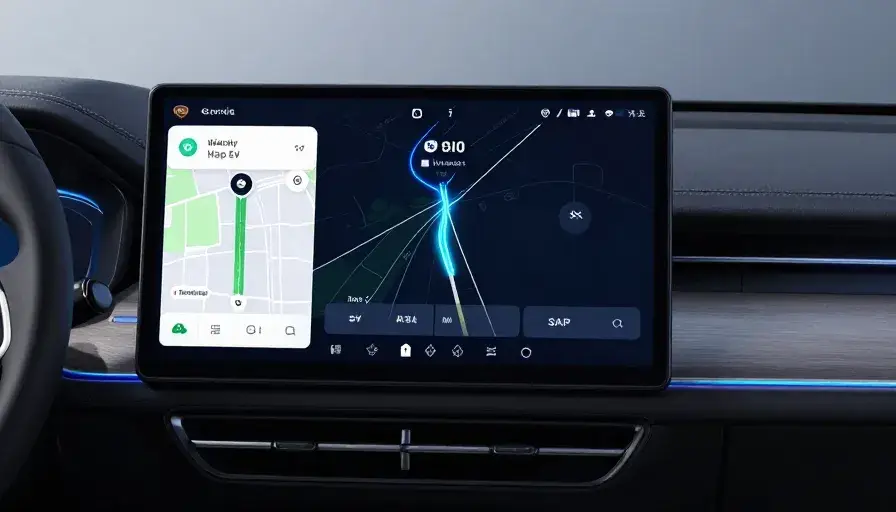
Drivers using Android Auto just got a meaningful upgrade—especially those behind the wheel of electric vehicles. With a new AI-powered route planning system and improved media autoplay controls, the driving experience is becoming more personalized and intuitive.
Smarter EV Route Planning Powered by AI
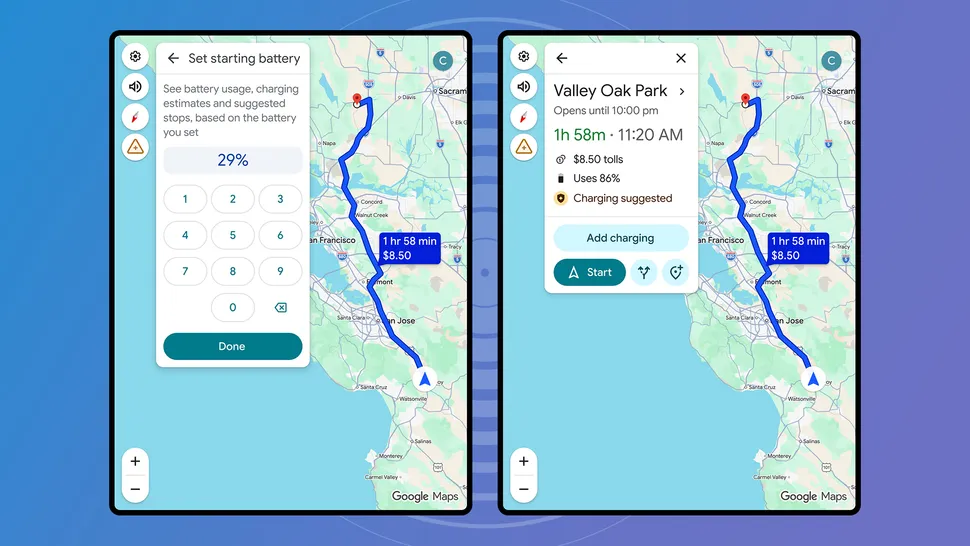
The biggest highlight of this update is the enhanced EV navigation inside Google Maps on Android Auto.
Instead of simply showing nearby charging stations, the system now:
- Recommends when and where to charge
- Adjusts routes based on battery level
- Considers vehicle-specific data
This isn’t generic navigation anymore—it’s tailored to your exact electric vehicle.
How It Works
Once you add your vehicle details in Google Maps (via Settings > Your vehicles), the system starts learning about your car. It then combines that information with real-time data such as:
- Traffic conditions
- Road elevation
- Weather factors
It even takes into account:
- Battery capacity
- Vehicle weight
- Energy consumption patterns
The result? A route that’s not just faster—but smarter and more efficient for EV drivers.
Supported Vehicles and Availability
This feature is rolling out across 350+ electric vehicle models from major brands, including:
- Audi
- BMW
- Hyundai
- Kia
- Mercedes-Benz
- Toyota
- Volkswagen
For now, the rollout is limited to the United States, but wider availability is expected later.
More Control Over Media Autoplay
Alongside navigation upgrades, Android Auto is also improving how media autoplay works.
A new smart prompt has been spotted that appears when you stop media from autoplaying three times in a row. It will ask if you want to disable autoplay entirely—making it easier to control your in-car audio experience.
Previously, this option existed but was buried in settings. Now, it’s more visible and user-friendly.
Why This Update Matters
This update shows how Android Auto is evolving beyond simple connectivity into a smarter driving assistant.
For EV owners, it solves a real problem:
- Range anxiety
- Charging planning
- Route efficiency
And for everyday users, the improved autoplay controls make the experience less intrusive.
Final Thoughts
With AI-driven navigation and better user controls, Android Auto is becoming a more thoughtful companion on the road.
While the EV route planning feature is currently US-only, it’s a strong sign of where in-car technology is heading: personalized, predictive, and easier to use.
Frequently Asked Questions (FAQ)
1. What is the new EV route planning feature in Android Auto?
The new feature in Android Auto uses AI to create smarter routes for electric vehicles. It suggests when and where to charge based on your battery level, vehicle type, and driving conditions.
2. How is this different from regular navigation in Google Maps?
Previously, Google Maps could only show nearby charging stations. Now, it actively plans your trip by calculating charging stops automatically, making the journey more efficient for EV drivers.
3. Which cars support this new feature?
The update supports over 350 electric vehicle models from brands like:
- BMW
- Hyundai
- Kia
- Mercedes-Benz
- Toyota
Support may vary depending on your region and vehicle system.
4. Is the EV route planning feature available worldwide?
No, for now it is only rolling out in the United States. There’s no official timeline yet for global availability.
5. How do I set up EV route planning in Android Auto?
To use the feature:
- Open Google Maps on your phone
- Go to Settings > Your vehicles
- Enter your EV details (model, battery info)
- Start navigation and input your current battery level
Once set, the system will automatically optimize your route.
6. What is the new autoplay feature in Android Auto?
The update introduces a smarter way to manage autoplay. If you stop media from playing automatically multiple times, Android Auto will prompt you to disable autoplay completely.
7. Can I still manually control autoplay settings?
Yes. You can manually turn autoplay on or off through your phone settings in Android Auto. The new feature just makes it easier to discover and adjust.
8. Does this update use real-time data?
Yes. The system combines vehicle data with real-time inputs like:
- Traffic
- Weather
- Road elevation
This helps create more accurate and efficient routes.
9. Why is this update important for EV drivers?
It helps reduce “range anxiety” by:
- Planning charging stops automatically
- Optimizing routes based on battery usage
- Providing more reliable travel estimates
10. Will this feature expand to more users in the future?
Most likely, yes. Updates like this usually expand beyond the US over time, especially as EV adoption continues to grow globally.