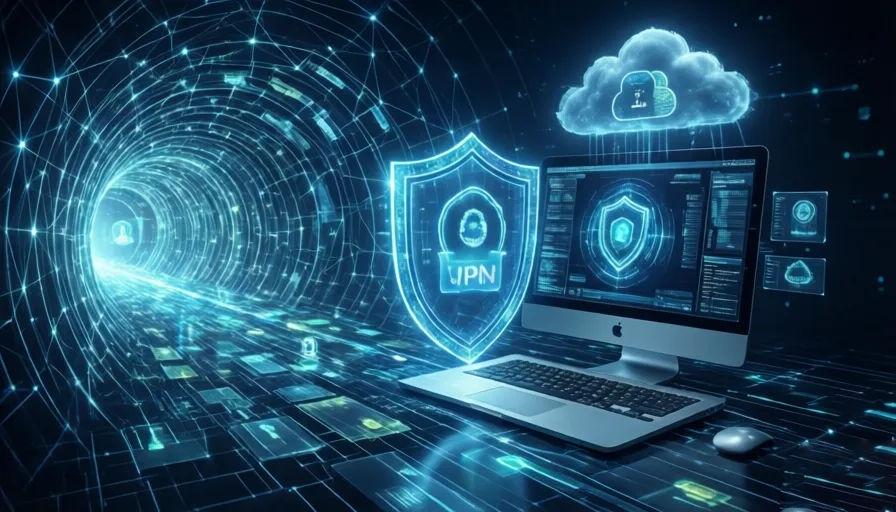
A Virtual Private Network (VPN) functions primarily as an encrypted transport layer tunnel ($OSI\text{ Layer }3\text{ or }4$). While highly effective at anonymizing network routing and protecting transit data from external eavesdropping, it possesses no native visibility or structural control over local execution environments, application-layer payloads ($OSI\text{ Layer }7$), or user authentication vectors.
Threat Mitigation Architecture: What a VPN Defends Against
A VPN alters the routing path of your internet traffic, encapsulating packets within a secure cryptographic protocol (e.g., WireGuard, OpenVPN) and substituting your public-facing IP address with that of the VPN gateway server.
[Host Device] ──► [Encrypted VPN Tunnel] ──► [VPN Gateway Server] ──► [Public Internet]
 (True IP Hidden)                               (Masked IP Exposed)
Distributed Denial-of-Service (DDoS) Mitigation
-
Mechanism: DDoS attacks require the adversary to target a specific network interface via its public IP address, flooding it with malicious volumetric traffic to saturate local bandwidth.
-
VPN Defense: By masking your residential IP address, malicious traffic is directed instead to the infrastructure of your VPN provider. These enterprise data centers leverage high-capacity scrubbing networks and hardware-based filtering to neutralize multi-gigabit attacks seamlessly.
Network Traffic Obfuscation
-
Mechanism: Local Internet Service Providers (ISPs) and local network administrators monitor DNS requests and SNI (Server Name Indication) fields to log user browsing data.
-
VPN Defense: All traffic leaving the local device is encrypted before transit. The local ISP can only observe unified, encrypted packets moving toward a single destination: the VPN server.
Structural Limitations: Where VPN Security Fails
A VPN is not a firewall, endpoint detection and response (EDR) agent, or identity management solution. It cannot secure systems against attacks that bypass transport layer encryption.
                        [ THE SECURITY MATRIX ]
                                   │
       +---------------------------+---------------------------+
       |                                                       |
 [ Indiscriminate Malware ]                                 [ Adversarial Session Hijacking ]
 - Trojan horses, ransomware, keyloggers.                   - Cookiejacking exploits local browser data.
 - Executed natively on endpoint storage.                   - Bypasses multi-factor authentication (MFA).
 - VPN tunnel transmits payloads transparently.             - Stored tokens require zero network interception.
Local Malware Execution
-
The Vulnerability: Phishing links, infected email attachments, and compromised software installers execute payloads natively on local endpoint storage.
-
The Reality: Because a VPN merely serves as an encrypted pipe, it will happily encrypt and transmit a malicious payload directly to your device without scanning its contents.
Modern Man-in-the-Middle (MitM) and Cookiejacking
-
The Vulnerability: Rogue public Wi-Fi hotspots historically intercepted raw text traffic. Today, widespread HTTPS deployment ensures end-to-end encryption ($TLS$) between the local browser and the destination server, rendering network-level MitM password theft largely obsolete regardless of VPN deployment.
-
The Exception: Adversaries utilize Cookiejacking (Session Stealing) to steal valid authentication tokens directly from local browser memory or cache. Because these session tokens are already authorized, an attacker can clone the session state from any remote IP address, entirely bypassing multi-factor authentication (MFA) without needing to intercept the network traffic stream.
Recommended Multi-Layer Security Architecture
True digital defense requires a defense-in-depth framework where distinct software layers isolate independent attack vectors.
| Security Layer | Primary Tool | Technical Objective | Exploit Neutralized |
| Transport Layer | Virtual Private Network (VPN) | Encrypt transit metadata and mask public geolocation identifiers. | DDoS, ISP Data Harvesting, Local Packet Sniffing |
| Endpoint Layer | Endpoint Anti-Malware / EDR | Real-time heuristic scanning of memory spaces and system file structures. | Trojan Horses, Ransomware, Local Keyloggers |
| Identity Layer | Zero-Knowledge Password Manager | Generate high-entropy, unique cryptographic credentials per domain. | Credential Stuffing, Brute-Force Exploits |
| Application Layer | Browser Hygiene & DNS Filtering | Force HTTPS enforcement and block known malicious script domains. | Unencrypted HTTP Exploits, Malicious Ad Injections |
FAQ (Frequently Asked Questions)
1. What does a VPN actually do?
A VPN (Virtual Private Network) encrypts your internet traffic and routes it through a secure server, masking your real IP address and protecting your data from local network surveillance and internet service providers.
2. Does a VPN make me completely anonymous online?
No. A VPN improves privacy by hiding your IP address and encrypting network traffic, but it does not provide complete anonymity. Websites, browser fingerprints, cookies, and account logins can still identify users.
3. Can a VPN stop hackers from attacking my device?
A VPN only protects data in transit. It does not prevent malware infections, phishing attacks, software vulnerabilities, or local device compromises.
4. Does a VPN protect against DDoS attacks?
Yes. By masking your real public IP address, a VPN can help protect against many direct Distributed Denial-of-Service (DDoS) attacks, especially those targeting residential internet connections.
5. How does a VPN hide my IP address?
The VPN server acts as an intermediary between your device and the internet. Websites and online services see the VPN server’s IP address instead of your actual residential or mobile IP.
6. Can my ISP see what websites I visit when using a VPN?
In most cases, your ISP can see that you are connected to a VPN server, but it cannot easily view the specific websites, searches, or data transmitted through the encrypted tunnel.
7. Does a VPN encrypt all internet traffic?
Most VPNs encrypt internet traffic passing through their applications or system-level tunnels. However, improperly configured applications or unsupported traffic may bypass VPN protection.
8. Can a VPN prevent malware infections?
No. A VPN does not analyze files, scan downloads, or detect malicious software. Malware can still infect a device even while connected to a VPN.
9. What security tools should be used alongside a VPN?
A complete security setup should include antivirus or endpoint protection software, a password manager, multi-factor authentication (MFA), browser security tools, and regular software updates.
10. What is cookiejacking?
Cookiejacking is a session hijacking technique where attackers steal authentication cookies or session tokens from a compromised device, allowing them to access accounts without needing passwords.
11. Can a VPN stop cookie theft?
No. Because authentication cookies are stored locally on the device or browser, a VPN cannot prevent malware or browser-based attacks from stealing them.
12. Does a VPN protect against phishing attacks?
No. If a user voluntarily enters credentials into a fraudulent website, the VPN cannot determine that the site is malicious or prevent credential theft.
13. Is HTTPS enough without a VPN?
HTTPS already encrypts communication between your browser and websites. A VPN adds an extra layer of privacy by hiding browsing activity from local networks and internet providers.
14. Can a VPN bypass multi-factor authentication attacks?
No. If attackers steal valid session tokens or compromise devices directly, they may bypass MFA regardless of VPN usage.
15. What is the difference between a VPN and antivirus software?
A VPN protects data transmission and privacy during internet usage, while antivirus software detects, blocks, and removes malicious programs on the device itself.
16. Do VPNs protect public Wi-Fi users?
Yes. VPNs significantly improve security on public Wi-Fi networks by encrypting traffic and reducing exposure to network monitoring or interception attempts.
17. Can a VPN block malicious websites?
Most standard VPNs do not block malicious websites by default. Some premium VPN providers offer DNS filtering and threat protection features as additional services.
18. Are free VPN services safe?
Not always. Some free VPN providers collect user data, display advertisements, limit encryption quality, or monetize user activity. Research the provider carefully before use.
19. What is a defense-in-depth cybersecurity strategy?
Defense-in-depth combines multiple security layers such as VPNs, antivirus software, password managers, browser security, DNS filtering, and MFA to create comprehensive protection against different attack vectors.
20. Is a VPN still worth using in 2026?
Yes. VPNs remain valuable for privacy, IP masking, encrypted communications, public Wi-Fi protection, and reducing ISP tracking. However, they should be viewed as one component of a broader cybersecurity strategy rather than a complete security solution.