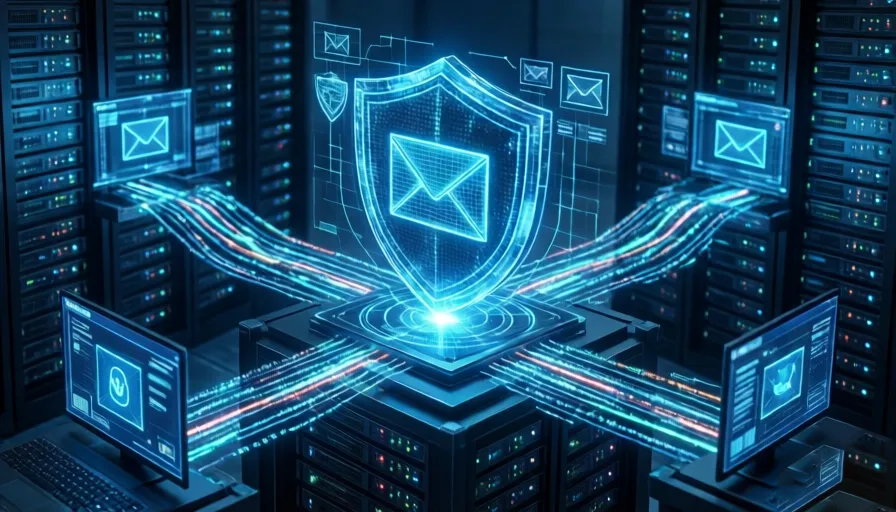
The historical assumption that email encryption is exclusively for enterprise architectures or high-risk targets is obsolete. In the current threat landscape, standard email protocols expose sensitive personal telemetry and compromise entire digital identity structures.
Technical Vectors Exposing Standard Email Architecture
Standard email frameworks utilize insecure, fragmented security protocols that fail to protect user data from systemic vulnerabilities.
                         [ INFRASTRUCTURE VULNERABILITY COMPARISON ]

     Standard Email (SMTP + In-Transit TLS)            Zero-Trust Email (End-to-End / E2EE)

     [Sender]                                         [Sender]
        │                                                │  (Encrypted locally via Public Key)
        ▼ (Encrypted in-transit only)                    ▼
   [ISP / Router]                                   [ISP / Router] (Zero Visibility)
        │                                                │
        ▼                                                ▼
  [Server Cloud] ──► Decrypted at Rest via          [Server Cloud] ──► Encrypted at Rest
                     Provider's Master Keys                            (Host has No Keys)
        │                                                │
        ▼ (Vulnerable if recipient lacks TLS)            ▼
   [Recipient]                                      [Recipient] (Decrypted locally via Private Key)
In-Transit vs. At-Rest Cryptographic Disconnect
Mainstream providers (e.g., Gmail, Outlook, Yahoo) rely primarily on Transport Layer Security (TLS). While TLS secures messages while moving between clients and servers, it requires the recipient’s mail system to actively support the protocol. If the receiving server lacks TLS, the message downgrades to plaintext.
Furthermore, once the email reaches the provider’s server, it is encrypted using the provider’s master keys, not the user’s private keys. This architecture leaves stored indices vulnerable to server-side breaches, legal subpoenas, and insider threats.
Systemic Data Harvesting and Ad Profiles
Free email services offset infrastructure costs by parsing message body text, metadata, and attachments. This automated data scraping feeds behavioral advertising engines, trains artificial intelligence models, and extracts logistical data (e.g., tracking numbers, reservations) to build comprehensive user profiles.
Centralized Identity Risk (The Master Key Vector)
An email inbox functions as the single point of failure for an individual’s entire digital footprint. Because standard email accounts serve as the primary recovery channel for banking, healthcare, and utility accounts, a single credential breach exposes all linked downstream services.
Structural Protections Offered by Encrypted Platforms
Migrating to a security-first, zero-trust email provider (e.g., Proton Mail) introduces structural cryptographic controls directly to consumer inboxes.
-
Asymmetric End-to-End Encryption (E2EE): Messages are encrypted locally on the sender’s device using the recipient’s public key and can only be decrypted by the recipient’s private key. The service provider has zero visibility into the plaintext content.
-
Ephemerality Controls: Platforms support native time-to-live (TTL) configurations, allowing emails to self-destruct after a specified duration (e.g., one day to one month), systematically shrinking the sender’s permanent digital footprint.
-
Decoupling from Data Brokers: Implementing a fresh, encrypted email address provides a clean ledger. Users can combine this with temporary email alias tools to insulate their primary address from merchant data breaches, neutralizing spam and phishing loops at the source.
Deployment Friction and Architecture Trade-offs
Adopting a zero-trust email infrastructure requires managing distinct operational trade-offs and user experience friction.
| Operational Challenge | Technical Context | Mitigation Strategy |
| Interoperability Degrades | Sending an E2EE email to a non-encrypted recipient requires fallback mechanisms. | Platforms host the message on a secure portal; the sender transmits an out-of-band password via a secure messaging app for the recipient to view it. |
| Loss of Convenience Automations | Zero-trust indexing prevents third-party servers from parsing content to auto-populate calendars or generate AI summaries. | Users must manually manage calendar scheduling and utilize local, client-side utility tools. |
| Malware Inspection Bypass | Antivirus scanners cannot inspect incoming, encrypted payloads while in transit. | Malicious attachments remain encrypted until execution; endpoint protection must intercept threats at the local device level upon decryption. |
| Financial and Social Friction | Robust privacy models generally operate on subscription fees, and full cryptographic network benefits require contact adoption. | Utilize the free tiers offered by encrypted services to read/respond, and prioritize E2EE onboarding for high-value contacts (e.g., immediate family). |
FAQ
Q1: What is encrypted email?
A1: Encrypted email is a communication system that protects message content using cryptographic techniques. Unlike standard email services, encrypted email platforms ensure that only the intended recipient can read the message, preventing unauthorized access by providers, hackers, or third parties.
Q2: Why is standard email considered vulnerable?
A2: Standard email services primarily rely on Transport Layer Security (TLS), which only protects messages while they are being transmitted. Once emails reach the provider’s servers, they can be decrypted and accessed by the provider using server-controlled encryption keys.
Q3: What is the difference between in-transit encryption and end-to-end encryption?
A3: In-transit encryption protects data while it travels between servers and devices. End-to-end encryption (E2EE) protects data from the moment it leaves the sender until it is decrypted by the intended recipient, ensuring that even the service provider cannot read the content.
Q4: How does end-to-end encryption work?
A4: End-to-end encryption uses asymmetric cryptography. The sender encrypts a message using the recipient’s public key, and only the recipient’s private key can decrypt it. This prevents anyone else, including the email provider, from accessing the message content.
Q5: What are public and private keys in email encryption?
A5: A public key is used to encrypt messages and can be shared openly. A private key remains secret and is used to decrypt incoming messages. Together, they form the foundation of secure end-to-end encrypted communication.
Q6: Why is email often called the master key to your digital identity?
A6: Most online services use email accounts for password recovery, account verification, security alerts, and authentication. If an attacker gains access to an email account, they can potentially compromise numerous connected services.
Q7: Can email providers access messages stored on their servers?
A7: Traditional email providers often have technical access to stored messages because they control the encryption keys. Security-focused encrypted providers design their systems so that they cannot access user message content.
Q8: How do free email services monetize user data?
A8: Some free email providers analyze metadata, account activity, and other usage patterns to support advertising, personalization, or service improvement. The exact practices vary between providers and privacy policies.
Q9: What is metadata in email communication?
A9: Metadata includes information such as sender addresses, recipient addresses, timestamps, subject lines, IP-related data, and message routing details. Even when content is encrypted, some metadata may still be visible to facilitate email delivery.
Q10: What is a zero-trust email platform?
A10: A zero-trust email platform is designed so that the provider does not have access to users’ message content. Security is based on client-side encryption, where only users control the keys needed to decrypt messages.
Q11: What are self-destructing emails?
A11: Self-destructing emails are messages that automatically expire after a specified period. Once the expiration time is reached, the message becomes inaccessible, reducing long-term exposure of sensitive information.
Q12: How do encrypted email aliases improve privacy?
A12: Email aliases allow users to create separate addresses for different websites or services. If one alias is compromised or targeted by spam, it can be disabled without affecting the primary email address.
Q13: Can encrypted email help reduce spam?
A13: Yes. Using aliases and limiting exposure of the primary email address can reduce spam, phishing attempts, and unwanted marketing communications.
Q14: What happens when sending encrypted email to someone who does not use encryption?
A14: Many encrypted email services provide secure fallback options such as password-protected messages or secure web portals that allow non-encrypted recipients to access messages safely.
Q15: Does encrypted email affect convenience features?
A15: In some cases, yes. Features that rely on server-side scanning, such as automatic calendar extraction, smart categorization, or AI-generated summaries, may be limited because the provider cannot read message content.
Q16: Can encrypted emails still contain malware?
A16: Yes. Encryption protects privacy but does not guarantee that attachments are safe. Users should still use antivirus software and exercise caution when opening files from unknown sources.
Q17: Does end-to-end encryption protect attachments?
A17: Yes. Attachments included in encrypted emails are generally protected by the same encryption process as the message body, ensuring they remain inaccessible to unauthorized parties during transmission and storage.
Q18: Is encrypted email suitable for everyday users?
A18: Absolutely. While encrypted email was once primarily used by businesses and security-conscious professionals, modern services have made privacy-focused email accessible to everyday users seeking greater control over their data.
Q19: What are the main disadvantages of encrypted email?
A19: Potential drawbacks include reduced compatibility with some automation tools, additional steps when communicating with non-encrypted recipients, possible subscription costs, and a learning curve for new users.
Q20: Who benefits most from encrypted email services?
A20: Journalists, business professionals, remote workers, healthcare providers, legal professionals, privacy-conscious individuals, and anyone handling sensitive personal information can benefit significantly from encrypted email solutions.
Q21: Does encrypted email guarantee complete anonymity?
A21: No. Encryption protects message content, but it does not automatically hide all metadata, network information, or user activity. Additional privacy tools may be required for stronger anonymity.
Q22: Why are encrypted email services becoming more popular?
A22: Growing concerns about cybercrime, identity theft, data breaches, surveillance, and personal privacy have encouraged more individuals and organizations to adopt encrypted communication solutions.