The global landscape of interactive entertainment has shifted permanently. For decades, the video game industry followed a predictable, centralized model: large gaming studios spent millions of dollars over multi-year cycles to create contained, static titles for consumers to purchase and play.
Today, that model has been completely upended by an expansive, decentralized powerhouse that is transforming the concept of digital play, social spaces, and creator economies. That powerhouse is Roblox.
To define Roblox merely as a video game is to fundamentally misunderstand its architectural DNA. Roblox does not function like a traditional game; it is a massive, cloud-based Metaverse Engine and Social Ecosystem. It acts as a digital canvas where more than 47 million concurrent global users connect daily to explore millions of distinct, user-generated worlds.
Whether you are an aspiring game developer looking to break into the industry, an investor analyzing the mechanics of micro-economies, or a parent trying to protect your child from internet safety risks, understanding Roblox is no longer optional—it is a necessity.
This extensive handbook serves as the definitive reference manual for the Roblox ecosystem. We will deconstruct the platform from the inside out, exploring the coding foundations of Roblox Studio, the financial systems of the DevEx network, the cultural and psychological factors driving its global popularity, and the technical safety frameworks required to protect young players.
The Roblox Architecture: A Global Overview
Before diving into the technical details of game development and economic systems, it is essential to look at the scale, core pillars, and foundational metrics that define the modern Roblox platform.
┌───────────────────────────────────────────────────────────────────────────┐
│                      The Core Pillars of Roblox                           │
├───────────────────────────────────────────────────────────────────────────┤
│  1. Roblox Client  ──► High-performance engine for playing experiences    │
│  2. Roblox Studio  ──► Advanced IDE for coding and physical simulation   │
│  3. Roblox Cloud   ──► Distributed server network powering global asset   │
│                        delivery, multiplayer hosting, and transactions.   │
└───────────────────────────────────────────────────────────────────────────┘
Roblox is built on a simple yet highly effective business model: it provides the infrastructure, tools, and social framework for free, allowing its massive user base to become the sole creators of its content.
This sets it apart from competitor platforms like Minecraft, where players manipulate blocks within strict, predetermined game rules. Roblox places no boundaries on genre, mechanics, or art style. Within its ecosystem, you can find hyper-realistic flight simulators, complex role-playing games, obstacle courses (Obbies), financial management systems, and abstract social spaces.
To maintain this balance across PCs, mobile devices, consoles, and virtual reality gear, the platform is split into three main components:
1. The Roblox Client
This is the consumer-facing application that players use to access the platform. It functions as a specialized web browser designed to instantly render 3D environments, manage asset streaming, compress data packets, and handle real-time physics on almost any device.
The client eliminates the traditional barrier of downloading individual games; players can hop from an intense tactical shooter to a peaceful farming simulation in a matter of seconds.
2. The Roblox Studio
This is the comprehensive Integrated Development Environment (IDE) used by creators to build, model, script, and test their titles. Roblox Studio features a highly optimized, real-time physics engine, built-in lighting tools, particle editors, and a collaborative workspace that allows multiple developers across the world to edit a single game project simultaneously.
3. The Roblox Cloud
The invisible backbone of the entire ecosystem. Roblox Cloud handles real-time matchmaking, global data storage for player inventories, secure payment processing, and asset hosting.
When a developer publishes an update in Roblox Studio, the cloud architecture pushes those files out instantly across thousands of distributed servers worldwide, ensuring zero downtime for players.
Experience Architecture — Engineering Worlds Inside Roblox Studio
Every game inside the Roblox ecosystem is referred to by its community as an “Experience.” This term reflects the diverse, social nature of the platform, where interaction and community engagement are just as important as traditional gameplay mechanics.
Creating a highly successful experience requires a solid understanding of Roblox Studio, asset production, and the fundamentals of software engineering.
                  [ The Roblox Studio Creation Pipeline ]
                                     │
   ┌─────────────────────────────────┼─────────────────────────────────┐
   ▼                                 ▼                                 ▼
[ 3D Asset Modeling ]       [ Luau Object Scripting ]    [ Client-Server Replication ]
├── Part Manipulation       ├── Event-Driven Architecture├── RemoteEvents / RemoteFunctions
└── MeshPart Importation    └── Object-Oriented Design   └── Anti-Exploit Security
The Power of Luau: Scripting High-Performance Experiences
At the core of every interactive mechanism in Roblox is Luau, a faster, heavily optimized derivative of the Lua 5.1 programming language developed by Roblox engineers. Luau is designed to be accessible to beginners while remaining powerful enough for advanced software architecture. It features gradual typing, enhanced sandboxing for security, and a highly efficient garbage collector that prevents memory leaks during long gaming sessions.
To write secure, scalable code in Roblox Studio, developers must master the Client-Server Runtime Model. Roblox experiences operate on an asymmetrical network model:
┌───────────────────────────────────────────────────────────────────────────┐
│                    The Client-Server Network Model                        │
├───────────────────────────────────────────────────────────────────────────┤
│  • The Server: The authoritative source of truth. It manages core game     │
│    logic, handles secure transactions, and saves player data.              │
│  • The Client: The player's local device. It renders graphics, processes   │
│    user inputs, and displays the user interface (UI).                     │
└───────────────────────────────────────────────────────────────────────────┘
Because of this split, developers use specialized network objects to communicate safely between the client and server:
RemoteEvents
These are unidirectional communication tools used for event-driven scripting. For instance, when a player clicks a button on their screen, a local script fires a RemoteEvent to signal the server. The server verifies the action, updates the game state, and tells all other clients to render the change.
RemoteFunctions
These are bidirectional communication tools used when a script needs a direct answer back. A client can call a RemoteFunction to request specific data from the server, which processes the request and returns the values back to the client.
To protect an experience from exploiters and hackers, developers must follow a strict security rule: Never Trust the Client. Because local memory can be manipulated on a player’s machine, all game-changing actions—such as spending currency, dealing damage, or modifying player health—must be validated on the authoritative server before being executed.
Procedural Generation and Environmental Design
Roblox Studio gives developers deep control over environmental design, allowing them to construct worlds using primitive shapes (Parts), advanced solid modeling tools, or custom 3D files (MeshParts) imported from software like Blender.
For large, expansive worlds, advanced developers often use procedural terrain generation algorithms, utilizing 3D Perlin noise functions to dynamically build mountain ranges, valleys, and oceans as a player explores.
┌───────────────────────────────────────────────────────────────────────────┐
│                    Advanced Environmental Design Checklist                │
├───────────────────────────────────────────────────────────────────────────┤
│  [ ] StreamingEnabled: Activates dynamic memory management by unloading    │
│      distant world structures from the client's local RAM.                 │
│  [ ] PBR Texturing: Employs Physical Based Rendering maps (Albedo,         │
│      Roughness, Normal) to create realistic surface reactions to light.    │
│  [ ] Future Lighting Engine: Uses real-time voxel shadows and specular     │
│      reflections to generate cinematic indoor and outdoor environments.    │
└───────────────────────────────────────────────────────────────────────────┘
Economic Engineering — Micro-Transactions and Real-World Monetization
Roblox is home to a highly active, self-sustaining virtual economy driven by its native digital currency, Robux. Far from being simple arcade points, Robux functions as a true fiat currency within the boundaries of the platform, backed by a complex financial exchange network that connects virtual items to real-world capital.
[ Player Spends Fiat Currency ] ──► Buys Robux ──► Purchases Game Pass ──► Creator Earns Robux ──► DevEx Exchange ($)
The Monetization Blueprint: Game Passes, Developer Products, and UGC
Developers monetize their experiences by introducing a variety of digital goods and services tailored to their community’s playing habits:
Game Passes
These are persistent, one-time purchases linked directly to a player’s account. Game Passes grant lifelong perks within a specific experience, such as permanent access to a VIP room, a special character class, or an ongoing experience points modifier.
Developer Products
These are repeatable, consumable purchases designed for instant value. Examples include purchasing extra in-game currency, restocking health potions mid-battle, or buying extra spins on a reward wheel.
Managing Developer Products requires a highly secure scripting workflow. Developers must use Roblox’s ProcessReceipt callback within the MarketplaceService to verify that a transaction was successfully processed before awarding the digital item, preventing players from losing Robux due to sudden disconnections.
The UGC (User-Generated Content) Catalog
Roblox features a massive fashion avatar marketplace where independent 3D artists can design, publish, and sell custom clothing, hats, hairpieces, and full-body skins.
By setting up a royalty system, top UGC creators can build highly profitable fashion brands within the digital space, selling millions of virtual items to players looking to express their unique identities.
The Architecture of the Developer Exchange (DevEx)
The ultimate goal for many professional development teams on Roblox is to qualify for the Developer Exchange (DevEx) program. This system allows creators to convert their earned Robux back into real-world currency (such as US Dollars).
┌───────────────────────────────────────────────────────────────────────────┐
│                   The Developer Exchange (DevEx) Gateway                  │
├───────────────────────────────────────────────────────────────────────────┤
│  • Account Maturity: The applicant must be at least 13 years old.          │
│  • Account Verification: Requires a fully verified email and ID.          │
│  • Minimum Financial Threshold: Must have at least 30,000 earned Robux     │
│    cleanly accumulated through game monetization or catalog sales.         │
│  • Current Conversion Standard: Approximately $350 USD per 100,000 Robux. │
└───────────────────────────────────────────────────────────────────────────┘
The DevEx program has created a massive wave of independent game studios, with top-tier creator teams generating millions of dollars in revenue annually. This financial potential has caught the attention of venture capitalists and major corporations, transforming Roblox from a hobbyist platform into a major hub for digital entrepreneurship.
Immersive Technology — Designing for Virtual Reality (VR)
Roblox has established itself as an early pioneer in accessible virtual reality, allowing creators to publish cross-platform VR experiences without requiring players to download heavy external files or run complicated software configurations.
                        [ Roblox VR Design Matrix ]
                                     │
       ┌─────────────────────────────┴─────────────────────────────┐
       ▼                                                           ▼
 [ Hardware Optimization ]                                   [ Ergonomic Architecture ]
 ├── Standalone Meta Quest Integration                       ├── First-Person Camera Smoothing
 └── Direct Touch UI Tracking                                └── Teleportation Locomotion Options
Hardware Integration: Meta Quest and the PC VR Landscape
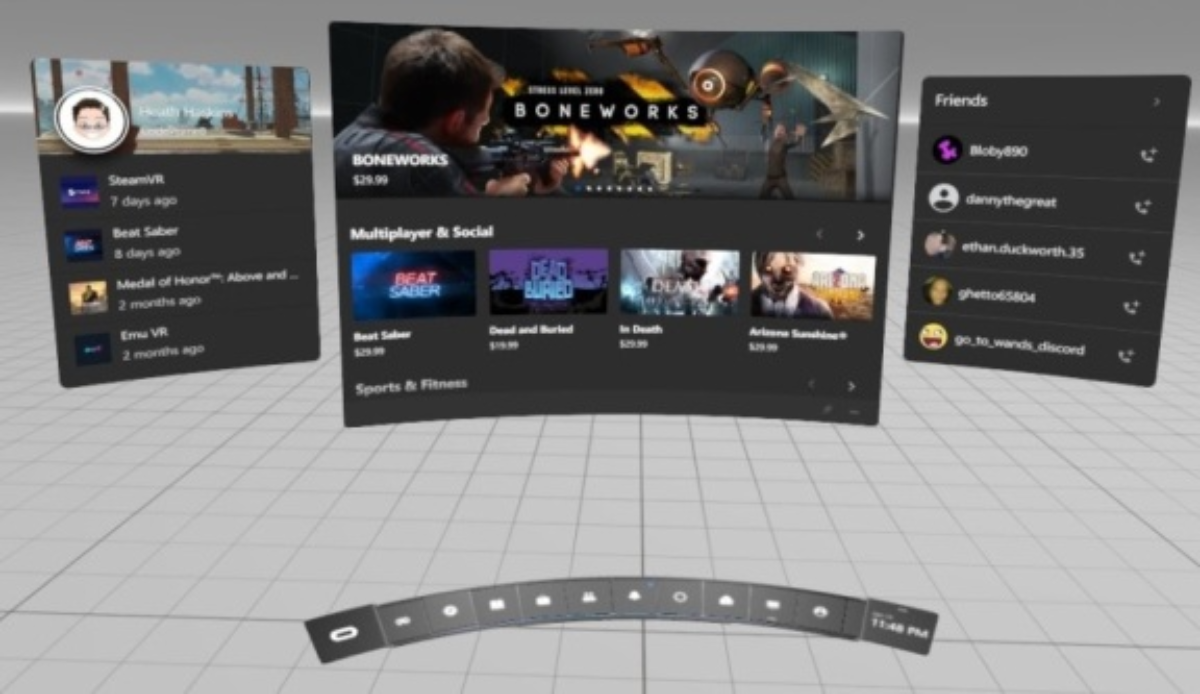
Roblox provides native, out-of-the-box support for leading VR hardware, with a major focus on the Meta Quest family of headsets. Through the optimized Quest integration, players can access the Roblox Metaverse directly as a standalone app on their headset, enjoying full 6DOF (Six Degrees of Freedom) tracking without being tethered to an expensive gaming PC.
For high-end setups, the platform supports PC-tethered VR systems, delivering improved graphics, complex volumetric lighting, and faster frame rates. However, Roblox VR experiences are currently absent from home consoles. Even if a user connects a PlayStation VR2 (PS VR2) headset to a PlayStation 5, they cannot access the VR version of Roblox, as the platform’s console client is currently optimized only for standard television screens.
Ergonomic Scripting and Comfortable UI in VR
Developing for virtual reality in Roblox Studio requires a different approach than traditional game design. Traditional camera movements and rapid user interface shifts can easily cause motion sickness in VR.
Advanced VR developers utilize specialized APIs within Roblox’s VRService to build comfortable, immersive environments:
-
Dynamic UI Tracking: Instead of pinning user interfaces flat against the player’s camera view, developers attach menus to the virtual wrists of the avatar or position them as floating, interactive billboards in the 3D world, allowing players to look around naturally.
-
Ergonomic Locomotion: Developers often move away from standard joystick movement and build alternative, comfort-focused movement methods, such as teleportation mechanics or camera-fading transitions during high-speed movements.
-
Motion Controller Physics: By reading real-time position data from the player’s controllers via the UserInputService, scripts can track hand positions accurately, allowing players to reach out, pick up items, open doors, and interact with the virtual world using natural hand movements.
Digital Risk Management — The Critical Importance of Counter-Scam Literacy
Because Roblox’s user base is predominantly young, the platform is a constant target for digital scammers, social engineers, and cybercriminals looking to steal valuable items, rare accounts, or hard-earned Robux. Protecting yourself requires a strong understanding of modern web security and common online scams.
┌───────────────────────────────────────────────────────────────────────────┐
│                    The Anatomy of a Robux Scam Loop                       │
├───────────────────────────────────────────────────────────────────────────┤
│  [ Fake Streaming Sites ] ──► Promises free Robux gift card codes.         │
│  [ Phishing Gateway ]     ──► Steals login credentials via lookalike pages.│
│  [ Account Compromise ]   ──► Drains the user's inventory and Robux.       │
└───────────────────────────────────────────────────────────────────────────┘
1. The Deception of “Free Robux”
The most widespread scam in the ecosystem revolves around the promise of free Robux. Scammers use fake, automated YouTube and Twitch streams that broadcast looped gameplay footage, promising viewers free currency if they visit an external website.
These third-party websites are malicious phishing setups designed to steal login credentials or trick users into running dangerous JavaScript code in their web browsers, giving hackers immediate access to their accounts.
There is no such thing as free Robux. The currency can only be legally acquired through official in-game purchases, verified retail gift cards, or by earning it legitimately as a developer or UGC artist through the platform’s tools.
2. Guarding Your Digital Identity
Roblox staff members will never contact a player via text, Discord, or in-game messaging channels to ask for their account password, two-factor authentication tokens, or personal identity details.
Cybercriminals often use social engineering, pretending to be system administrators or moderators and threatening to delete a user’s account unless they hand over their credentials.
[ Scammer Threat: "Account Deletion" ] ──► User Panics ──► Hands Over 2FA Token ──► Account Stolen
To block these attacks, players should enable Two-Factor Authentication (2FA) via an authenticator app, set up a secure, unique account PIN, and ensure they never copy or paste code strings into their browser’s developer console (Self-XSS scams).
The Parent’s Defensive Blueprint — Comprehensive Safety Controls
As a massive social space, Roblox faces ongoing challenges with content moderation and user safety, making it essential for parents to understand and manage their child’s digital interactions. Fortunately, Roblox provides a deep, multi-tiered suite of parental control tools designed to give parents full oversight of their child’s gaming experience.
                     [ The Parental Safety Control Loop ]
                                      │
       ┌──────────────────────────────┼──────────────────────────────┐
       ▼                              ▼                              ▼
 [ Linked Parent Accounts ]     [ Content Maturity Filters ]    [ Real-Time Chat Auditing ]
 ├── Remote Dashboard Auditing  ├── Age-Appropriate Capping     ├── Dynamic Chat Filtering
 └── Spend Cap Implementation   └── Experience Whitelisting    └── Disabling Direct Messages
1. Account Linkage and the Remote Dashboard
The foundation of a safe home setup is creating a Linked Parent Account. Instead of having to log directly into their child’s personal account to check on their activity, parents can link their own separate Roblox account to their child’s profile.
This unlocks a remote, password-protected dashboard accessible from any device. From this panel, parents can set monthly spending limits, monitor daily playtime logs, and track real-time interaction history without disrupting their child’s gaming experience.
2. Managing Content Maturity and Age Filters
Roblox uses an objective Content Maturity Rating System that labels every experience based on its structural themes, violence levels, and humor styles. Parents can use their configuration dashboard to lock their child’s account to specific maturity tiers:
┌───────────────────────────────────────────────────────────────────────────┐
│                    Content Maturity Rating System                         │
├───────────────────────────────────────────────────────────────────────────┤
│  • Minimal (All Ages): Contains mild, abstract violence and clean humor. │
│  • Mild (9+): May include mild, cartoonish violence or red blood splatters.│
│  • Moderate (13+): Features realistic fighting, crude humor, or scary themes.│
└───────────────────────────────────────────────────────────────────────────┘
By setting a strict age cap, games that sit outside the chosen tier are automatically hidden from the child’s feed, search results, and recommendations, keeping their gaming content fully age-appropriate.
3. Securing Communication and Chat Filters
Roblox uses advanced, real-time AI filtering text systems to automatically block swear words, offensive language, and personal identifying details (like phone numbers, home addresses, or real names) from its chat channels. However, parents looking for maximum protection can customize these communication rules further:
-
Age-Gated Chat Filtering: Roblox requires users to submit government ID verification to access unfiltered voice or text chat. For users under 13, all communication channels remain strictly filtered by default.
-
Disabling Direct Messaging: Parents can turn off direct messaging completely, preventing players outside their child’s approved friend list from sending private messages.
-
Interaction Restrictions: Roblox automatically blocks adult users (18+) from sending direct interaction prompts or private messages to teenage users aged 13 to 17, creating a protective barrier across generations.
The Definitive Ecosystem Comparison Table
To help you quickly analyze the different aspects of the platform, use this structural overview table to understand the access points, technical setups, and safety frameworks across the Roblox network:
| Platform Segment | Core Intended Function | Development Tools Required | Safety & Moderation Layer |
| Roblox Client | Lets players discover, play, and interact inside virtual experiences. | None; operates as a free, lightweight download. | Real-time chat filtering, player block lists, and in-game reporting tools. |
| Roblox Studio | Comprehensive IDE for coding, modeling, and building worlds. | Uses the Luau programming language and 3D modeling tools. | Code sandboxing prevents scripts from accessing a player’s local computer files. |
| UGC Marketplace | Global platform for fashion artists to sell custom avatar accessories. | External 3D modeling software (like Blender or Maya). | Strict copyright filters and automated safety reviews prevent inappropriate designs. |
| Developer Exchange | Financial gateway to convert earned Robux into real money. | A verified DevEx portal account linked to a Tipalti payment profile. | Mandatory identity verification and strict audits to prevent money laundering. |
| Parent Dashboard | Gives parents full oversight and control of a child’s account. | Secured via a unique, parent-only 4-digit security PIN. | Restricts mature content, limits text chat, and sets monthly spending caps. |
Summary Checklist for New Players and Parents
Whether you are starting out as a creator or setting up a safe gaming space for your family, use this step-by-step checklist to ensure a smooth, secure start on Roblox:
-
[ ] Download Roblox Studio (For Creators): Install the free tool on a PC or Mac to access templates and begin learning Luau scripting.
-
[ ] Link Parent and Child Accounts: Connect profiles to open up remote safety management and clear activity tracking.
-
[ ] Create a Secure Parent Security PIN: Set up a unique 4-digit PIN to lock your parental controls and prevent unauthorized changes.
-
[ ] Configure Monthly Spending Limits: Set a clear dollar cap on Robux purchases to prevent unexpected credit card bills.
-
[ ] Set the Right Content Maturity Level: Adjust the age filter (All Ages, 9+, or 13+) to match your child’s age and maturity.
-
[ ] Enable Two-Factor Authentication (2FA): Protect your profile with an authenticator app to secure your Robux and game files.
-
[ ] Review the Counter-Scam Rules: Remind your family that there is no such thing as free Robux and to never share account passwords.
Moving Forward: Embracing the Future of Play
Roblox is far more than a passing internet trend; it is a powerful, evolving platform that is rewriting the rules of game development, virtual economies, and digital connection. By providing powerful creation tools completely free of charge, it has turned a global audience of young consumers into an active community of digital creators, artists, and engineers.
Navigating this massive ecosystem successfully comes down to preparation, awareness, and digital literacy. Whether you are building an immersive experience in Roblox Studio, growing a virtual business via the DevEx network, or setting up safety boundaries for your children, understanding the platform’s inner workings ensures a safe, rewarding, and deeply creative journey into the future of the Metaverse.
FAQ Roblox (Frequently Asked Questions)
1. What is Roblox actually?
Roblox is a cloud-based platform that allows users to create, share, and play millions of user-generated 3D experiences. It is more than a game—it is a metaverse ecosystem powered by Roblox Studio.
2. Is Roblox just a game?
No. Roblox is not a single game. It is a platform where millions of different games (called “experiences”) are created by users using Roblox Studio and the Luau scripting language.
3. What is Roblox Studio?
Roblox Studio is a free development tool used to build games and virtual worlds. It includes scripting, 3D modeling, physics tools, and publishing features.
4. What programming language does Roblox use?
Roblox uses Luau, a faster and optimized version of Lua, designed for game development with improved performance and safety features.
5. How do developers earn money on Roblox?
Developers earn Robux through in-game purchases like Game Passes and Developer Products, then convert it into real money using the Developer Exchange (DevEx) system.
6. What is DevEx in Roblox?
DevEx (Developer Exchange) is a program that allows eligible creators to convert earned Robux into real-world currency like USD after meeting specific requirements.
7. Is Roblox safe for kids?
Roblox includes safety features such as chat filtering, parental controls, content maturity ratings, and account restrictions. However, parental supervision is still recommended.
8. What are common scams in Roblox?
The most common scam is “free Robux” offers. These are fake and often used for phishing to steal accounts. Roblox does not offer free Robux outside official methods.
9. Can parents control Roblox usage?
Yes. Parents can link accounts, set spending limits, restrict content maturity levels, disable messaging, and monitor activity through a parent dashboard.
10. What is a Roblox “experience”?
An “experience” is a user-created game or virtual world within Roblox. It can range from simple obstacle courses to complex multiplayer simulations.
11. Why is Roblox so popular?
Because it combines gaming, social interaction, and creation tools in one platform, allowing users to both play and build their own digital worlds.
12. Can Roblox be played on all devices?
Yes. Roblox supports PC, mobile devices, tablets, Xbox, and VR devices like Meta Quest, making it widely accessible.