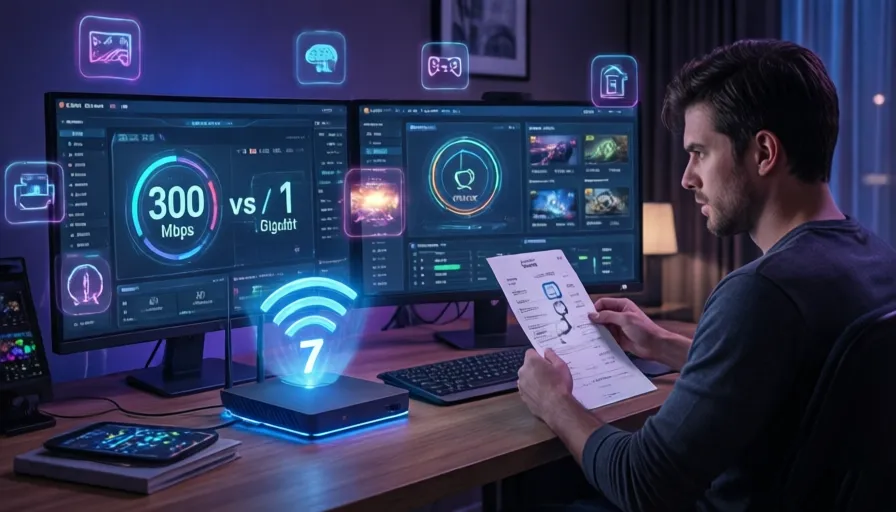
In the digital gold rush of the mid-2020s, Internet Service Providers (ISPs) have mastered a very specific craft: selling you a “Gigabit” dream while you live a “Megabit” reality. We’ve all seen the flashy advertisements. They promise 1,000 Mbps, 2,000 Mbps, or even the staggering 5,000 Mbps tiers, complete with images of gamers with lightning-fast reflexes and families streaming 8K video in every room.
But here is the billion-dollar question: Are you actually using what you’re paying for?
As of May 2026, the median download speed in the United States has soared past 300 Mbps. Yet, according to network traffic data, the average household rarely utilizes more than a fraction of that capacity at any given moment. In this exhaustive guide, we’re going to pull back the curtain on ISP marketing, dive into the math of bandwidth, and help you find the “sweet spot” that saves you hundreds of dollars a year without sacrificing a single second of your Netflix binge.

The Great Bandwidth Myth: Speed vs. Throughput
Before we can determine your needs, we have to clear up a massive linguistic confusion. When we say “Internet Speed,” we aren’t actually talking about how fast data travels—because data always travels at the speed of light (or close to it via fiber). What we are actually talking about is bandwidth or throughput.
Think of your internet connection as a highway:
-
Latency (Ping) is the speed limit.
-
Bandwidth (Mbps) is the number of lanes on that highway.
If you are a lone driver (a single person browsing the web), it doesn’t matter if the highway has 2 lanes or 200 lanes; you’ll get to your destination at the same time. You only need more lanes (more Mbps) when you have more cars (more devices) trying to drive at the same time.
The FCC’s New Reality
In early 2024, the Federal Communications Commission (FCC) officially raised the definition of “Broadband” to 100 Mbps download and 20 Mbps upload. Anything slower is legally no longer considered high-speed internet in the US. This was a landmark move that reflected our post-pandemic reality of remote work and education.
Doing the Math: The “Per-Activity” Breakdown
To stop overpaying, you need to understand exactly how much “pipe” each of your activities consumes. Here is the clinical breakdown of common household tasks in 2026:
Streaming Video (The Biggest Culprit)
-
HD (1080p): Requires about 5 Mbps.
-
4K Ultra HD: Requires about 25 Mbps.
-
8K Streaming: While still rare, this requires roughly 50–80 Mbps.
Working and Learning from Home
-
Zoom/Microsoft Teams (HD): Uses 3–4 Mbps for a high-quality group call.
-
Standard Web Browsing/Email: Uses less than 1 Mbps.
-
Large File Transfers: This is where speed matters. If you frequently download 50GB project files, the difference between 100 Mbps and 1,000 Mbps is the difference between a 70-minute wait and a 7-minute wait.
Gaming (The Latency Trap)
Online gaming—contrary to popular belief—requires very little bandwidth. Most games like Fortnite or Call of Duty only use about 3–5 Mbps.
The Real Secret: Gamers don’t need “Gigabit” speeds; they need low latency. A 100 Mbps fiber connection will almost always outperform a 1,000 Mbps cable connection for gaming because fiber has lower “ping.”
The “Perfect Fit” Tiers: Which One Are You?
Let’s categorize your household to find your target plan.
The “Solopreneur” or Minimalist (100–200 Mbps)
-
User Profile: 1–2 people.
-
Usage: Browsing, social media, and 1–2 simultaneous 4K streams.
-
Verdict: You do NOT need a Gigabit plan. Most people in this category are tricked into $90/month plans when a $40/month plan would be identical in performance.
The Modern Family (300–500 Mbps)
-
User Profile: 3–5 people.
-
Usage: Multiple people on Zoom calls, kids gaming in the bedroom, and a smart fridge/thermostat in the background.
-
Verdict: This is the “Sweet Spot.” A 500 Mbps plan provides enough overhead so that no one “lags” when someone else starts a download.
The Power User & Prosumer (1,000 Mbps / Gigabit)
-
User Profile: Content creators, developers, or households with 10+ active users.
-
Usage: Uploading 4K YouTube videos, downloading massive game patches (100GB+), and running a home server.
-
Verdict: Worth it only if your time is money. If waiting 20 minutes for a download makes you lose a paycheck, go for the Gig.
Upload Speeds: The Often-Ignored Half of the Equation
ISPs love to shout about their Download speeds, but they often whisper about their Upload speeds. This is known as “Asymmetric Internet.”
For example, a cable provider might sell you a “1,200 Mbps” plan that only has a 35 Mbps upload speed.
-
Why Upload Matters: Upload is what sends your video out to the world. If your upload speed is too low, your Zoom video will look grainy, your cloud backups (Google Photos/iCloud) will take forever, and you’ll experience “outbound lag” in gaming.
The Fiber Advantage: If you have access to Fiber (AT&T, Google Fiber, Verizon Fios), you usually get Symmetrical Speeds. That means 500 Mbps down AND 500 Mbps up. This is infinitely superior to a 1,000/35 Mbps cable plan.
Why Your “Fast” Internet Feels Slow (The Bottlenecks)
Before you call your ISP to upgrade, check these three common “bottlenecks.” It might not be your internet—it might be your hardware.
A. The Aging Router
If you are paying for 1,000 Mbps but using a Wi-Fi 5 (802.11ac) router from 2018, you will never see those speeds on your phone. In 2026, you should be using Wi-Fi 6E or Wi-Fi 7 routers to handle high-capacity traffic.
B. Wi-Fi Interference
Wi-Fi signals are degraded by walls, mirrors, and even your neighbor’s microwave. If your router is hidden in a closet, you could be losing 70% of your paid-for speed before it reaches your laptop.
C. The “Node” Congestion
Cable internet is shared with your neighbors. During “peak hours” (7:00 PM to 10:00 PM), the local node can become congested. Upgrading your speed tier won’t fix a congested neighborhood node; switching to fiber or 5G home internet might.
Future-Proofing: Do You Need 5-Gig or 10-Gig?
In the Pacific Northwest and parts of California, ISPs like Ziply and Sonic are offering 50-Gigabit plans. While technologically impressive, this is—for 99.9% of humans—completely useless in 2026.
Most consumer hardware (laptops, phones, even high-end PCs) have network cards that max out at 1 Gbps or 2.5 Gbps. If you buy a 10-Gigabit internet plan, your computer literally cannot process the data that fast. It’s like trying to pour a firehose into a tea cup.
How to Negotiate with Your ISP
Now that you know you probably only need 300–500 Mbps, how do you get a better deal?
-
Check the “Competition”: In 2026, 5G Home Internet (T-Mobile, Verizon) has become a massive competitor to cable. Use their quotes as leverage.
-
The Retention Department: Don’t talk to “Sales.” Ask for “Account Discontinuation.” This is the only department with the power to give you “New Customer” pricing.
-
Buy Your Own Modem: Most ISPs charge $15/month to rent their equipment. Buying your own $150 modem/router combo pays for itself in less than a year.
Final Summary: The 2026 Speed Checklist
To wrap up, follow this simple checklist to find your perfect plan:
-
Count your heavy users: (People who stream 4K or Video Call simultaneously). Multiply by 30 Mbps.
-
Add your “Background” devices: (Smart cameras, IoT). Add 20 Mbps.
-
Factor in your “Impatience” tax: Do you hate waiting for game updates? Add 100 Mbps.
-
Check for Fiber: If Symmetrical Fiber is available, take it over Cable every time, even at a lower speed tier.
The Verdict: For most American homes in 2026, 300 Mbps is the “Golden Ratio.” It is fast enough for everything, affordable for most, and rarely results in wasted bandwidth. Stop paying for the “Gigabit” marketing fluff and put that extra $50 a month back into your savings account.
FAQ About Internet Speed and Bandwidth in 2026
1. How much internet speed do I really need in 2026?
Most households only need between 300 Mbps and 500 Mbps for streaming, gaming, video calls, and smart home devices.
2. Is gigabit internet worth it?
Gigabit internet is mainly useful for large households, content creators, heavy downloaders, or people transferring massive files regularly.
3. What is the difference between bandwidth and internet speed?
Bandwidth refers to how much data can travel simultaneously, while speed is often used as a marketing term for total network capacity.
4. What internet speed is good for 4K streaming?
A single 4K stream typically requires around 25 Mbps for smooth playback.
5. How much speed does online gaming need?
Most online games only use about 3–5 Mbps, but low latency and stable connections are far more important than raw speed.
6. What is latency or ping?
Latency measures the delay between your device and the server. Lower ping results in smoother gaming and video calls.
7. Is fiber internet better than cable internet?
Yes. Fiber internet usually offers lower latency, more stable performance, and symmetrical upload/download speeds.
8. What are symmetrical internet speeds?
Symmetrical speeds mean your upload and download speeds are equal, such as 500 Mbps down and 500 Mbps up.
9. Why are upload speeds important?
Upload speeds affect video calls, cloud backups, live streaming, file sharing, and online gaming responsiveness.
10. What internet speed is best for remote work?
A stable 100–300 Mbps connection with strong upload speeds is usually enough for video meetings and cloud-based work.
11. How many Mbps do smart homes require?
Most smart home devices use little bandwidth, but a fully connected home may benefit from an additional 20–50 Mbps buffer.
12. Why does my fast internet still feel slow?
Common causes include outdated routers, Wi-Fi interference, poor placement, device limitations, or neighborhood network congestion.
13. Do I need Wi-Fi 7 in 2026?
Wi-Fi 7 is ideal for high-performance homes with many connected devices, especially for gigabit or multi-gig internet plans.
14. Can my router limit my internet speed?
Yes. Older routers may not support modern speed tiers or advanced wireless technologies.
15. What is the best internet speed for a family?
For most families, 300–500 Mbps provides enough bandwidth for streaming, gaming, work, and smart devices simultaneously.
16. Is 100 Mbps enough for Netflix and YouTube?
Yes. A 100 Mbps plan can comfortably handle multiple HD streams and general internet usage.
17. Why do ISPs advertise speeds I never get?
Advertised speeds are usually “up to” maximums, and real-world performance depends on congestion, Wi-Fi quality, and device capabilities.
18. What is node congestion in cable internet?
Cable internet is shared with nearby homes, so speeds may slow down during peak evening hours.
19. Is 5G home internet a good alternative?
In many areas, 5G home internet offers competitive speeds and pricing compared to traditional cable providers.
20. How can I lower my internet bill?
Downgrading unnecessary speed tiers, negotiating with retention departments, and buying your own modem/router can significantly reduce monthly costs.
21. What internet speed is best for Zoom calls?
HD video conferencing usually requires around 3–4 Mbps per active call.
22. Do smartphones and laptops support multi-gig internet?
Many consumer devices still max out below 2.5 Gbps, meaning extremely high-speed plans may go unused.
23. What is an NPU in networking hardware?
An NPU (Neural Processing Unit) helps optimize AI-powered networking tasks and smart traffic management in modern devices.
24. Should I choose fiber over higher-speed cable plans?
Yes. A lower-speed fiber plan is often better than a higher-speed cable plan due to stability and upload performance.
25. What is the ideal internet speed for most homes?
For the majority of households in 2026, around 300 Mbps is considered the ideal balance between performance and affordability.