
We are living through the quiet death of software development as we once knew it. For decades, the relationship between human engineers and silicon has been defined by rigid semantics. Humans wrote precise syntax; computers executed it blindly. If a single semicolon was misplaced, or if a backend API payload shifted by a single variable string, the entire pipeline broke down.
But at Google I/O 2026, a fundamental shift occurred. The industry moved past simple “chatbox completion code generation” and entered the era of the Agentic Ecosystem. With the introduction of open standards like WebMCP (Model Context Protocol for Web), programmatic execution via natural language (popularly known as “Vibe Coding”), and self-optimizing application store pipelines, software is transitioning from a static tool into a living, adaptive system.
                    [ The Evolution of Software Engineering ]
                                       │
         ┌─────────────────────────────┼─────────────────────────────┐
         ▼                             ▼                             ▼
  [ Manual Syntax Era ]        [ Autocomplete Assistant ]      [ Autonomous Agent Era ]
  ├── Imperative code strings  ├── Inline code completion     ├── Self-healing codebases
  ├── Decoupled API designs    ├── Context-aware suggestions  ├── WebMCP tool integration
  └── Brittle visual scraping  └── Manual diagnostic fixes   └── Core prompt-driven UI/UX
Whether you are a full-stack engineer, a product leader navigating the new API landscape, or a technical founder looking to future-proof your business model, this guide explores the architecture of WebMCP, details how vibe coding is shaping app creation, and examines the automated future of the Google Play Console and Chrome platforms.
The Core Architecture of WebMCP Transforming the Internet for Autonomous Agents
To understand why the web platform is changing, we have to look closely at how modern AI agents navigate traditional websites. Until recently, an AI agent trying to interact with a website (such as booking a flight on Expedia or ordering groceries on Instacart) had to rely on a brittle method called visual actuation or raw DOM scraping.
                           [ The Web Interaction Gap ]
                                        │
        ┌───────────────────────────────┴───────────────────────────────┐
        ▼                                                               ▼
 [ Traditional Scraping (Brittle) ]                           [ WebMCP Protocol (Native) ]
 ├── Pulls unstructured raw HTML text                          ├── Exposes precise JSON tool schemas
 ├── Vulnerable to minor UI changes                            ├── Provides direct API-to-agent access
 └── High risk of process breakage                             └── Secure sandboxed runtime execution
The agent had to download raw, unformatted HTML, guess which button was clickable by analyzing CSS class names, and mimic mouse clicks or keyboard inputs. If the website’s layout changed by even a few pixels, or if an id attribute changed during a front-end update, the agent would lose its place, causing the automation to break down.
1. What is WebMCP?
WebMCP (Web Model Context Protocol) is an open-source web standard built directly into the browser core. Instead of forcing an AI agent to guess its way through a website’s user interface, WebMCP allows the website to explicitly expose its underlying functions, database entry points, and internal APIs to the browser agent as clean, structured JSON schemas.
Plaintext
┌───────────────────────────────────────────────────────────────────────────┐
│                          [ WebMCP Runtime Loop ]                          │
├───────────────────────────────────────────────────────────────────────────┤
│  1. Agent Lands on Site  ──► 2. Browser Reads WebMCP JSON Schema Manifest  │
│                                                   │                       │
│  4. UI Confirms Output   ◄── 3. Agent Executes Native JS Function Calls   │
└───────────────────────────────────────────────────────────────────────────┘
When an agent lands on a WebMCP-enabled page, it queries a standardized endpoint—similar to how a robots.txt file outlines rules for web crawlers. The browser then provides the agent with a secure, machine-readable list of available tools, input fields, and parameters. This allows the website to act as an on-demand programmatic API package for any incoming AI agent.
2. The Technical Machinery Behind WebMCP
WebMCP handles data exchange inside the browser engine using a structured protocol. Below is an example of an annotated WebMCP JSON schema manifest file. This file shows how a modern e-commerce platform exposes its internal product searching and inventory checkout systems directly to a visiting AI agent without relying on raw text input boxes.
JSON
{
  "$schema": "https://json-schema.org/draft/2026-09/schema#",
  "protocolVersion": "2026.1.0",
  "provider": "E-Commerce Enterprise Platform",
  "capabilities": {
    "tools": {
      "list": [
        {
          "name": "queryInventory",
          "description": "Queries live stock data and retrieves unique SKU identification strings based on product search parameters.",
          "inputSchema": {
            "type": "object",
            "properties": {
              "categoryString": {
                "type": "string",
                "description": "The target inventory department (e.g., electronics, apparel)."
              },
              "maxPriceUSD": {
                "type": "number",
                "description": "The absolute upper budget ceiling limit measured in US Dollars."
              },
              "inStockOnly": {
                "type": "boolean",
                "description": "Toggles filtering out out-of-stock warehouse variants."
              }
            },
            "required": ["categoryString", "maxPriceUSD"]
          }
        },
        {
          "name": "initiateAgentCheckout",
          "description": "Submits a verified product SKU directly to the secure site checkout cart via a tokenized payment system.",
          "inputSchema": {
            "type": "object",
            "properties": {
              "targetSKU": {
                "type": "string",
                "description": "The validated product stock keeping unit string."
              },
              "purchaseQuantity": {
                "type": "integer",
                "description": "The exact total volume of units to purchase."
              }
            },
            "required": ["targetSKU", "purchaseQuantity"]
          }
        }
      ]
    }
  }
}
Through this unified JSON structure, an agent doesn’t need to scroll down a page, open sidebar drop-down menus, or deal with tricky pop-up boxes. Instead, it reads the explicit schema definition, maps the user’s request directly to the queryInventory parameters, handles the raw data processing, and completes the action by executing the initiateAgentCheckout tool.
3. Real-World Execution: The WebMCP Early Partner Landscape
During its initial testing phase in Chrome, Google partnered with several major global websites to test the WebMCP standard across real-world workflows. These integrations show how the standard helps eliminate friction for users:
-
Expedia & Booking.com: Instead of spending hours comparing dates across multiple tabs, a user can simply tell an agent: “Find a hotel room in downtown Tokyo under $200 a night for the first week of October.” The agent uses the site’s WebMCP schema to pull live availability and room options instantly, bypassing traditional search forms entirely.
-
Instacart & Target: Agents can read digital grocery lists directly, look up active inventory item SKUs on the store’s backend, cross-reference pricing discounts, and automatically pre-populate a user’s shopping cart with the most cost-effective item matches.
-
TurboTax & Credit Karma: Allows financial agents to securely pull complex tax document parameters and update balance statements through tokenized API endpoints, eliminating the need for slow, manual data entry.
The Practical Limits of “Vibe Coding” — Navigating Google AI Studio and the Core Sandbox
Few phrases have sparked more debate across software engineering communities recently than “Vibe Coding.” Coined to describe the experience of building software applications entirely through conversational prompts rather than manual coding, vibe coding has evolved from a hobbyist experiment into a structured, production-ready system within Google AI Studio.
[ High-Level Design Prompt ] ──► [ AI Studio Model Engine ] ──► [ Jetpack Compose Compilation ] ──► [ Sandbox Live Output ]
However, behind the impressive marketing demos lies a critical reality: building software autonomously requires a highly structured environment. To maintain safety and performance, Google has intentionally limited this end-to-end automated generation pipeline to three specific software categories.
1. Personal Utilities and Simple Social Applications
AI Studio excels at generating applications with predictable, well-mapped structures. Simple tools like personalized calendar managers, task trackers, budgeting sheets, and small social feeds run on highly standardized architecture.
The AI engine can easily generate the necessary Kotlin structures, build the clean Jetpack Compose visual interfaces, and organize local data storage layouts without running into complex architectural issues.
2. Localized Device Hardware Integrations
The second category covers applications that require direct communication with physical phone hardware components, such as:
-
On-board Camera Systems (e.g., custom QR code scanners, photo filter tools).
-
Accelerometers and Gyroscopes (e.g., basic fitness trackers, level indicators, motion games).
-
Local Storage and Biometric Authentication Sheets.
Because Android’s jetpack libraries standardise how software interacts with hardware via explicit APIs, the AI engine can write highly accurate code that complies with modern system permission models. This ensures the apps are secure and performant right from the first build.
3. Integrated Gemini API Infrastructure
The final category focuses on applications built specifically to leverage Google’s native AI models. By keeping the code focused on its own internal APIs, AI Studio can easily build smart tools like live language translators, automated audio transcript editors, context-aware writing assistants, and smart image tagging software.
The system acts as a complete creation loop: Google’s developer AI builds specialized sub-applications whose core value is driven by those same underlying AI models.
Technical Architecture Matrix: Understanding the Sandbox Lifecycle
To guarantee that code generated through vibe coding doesn’t compromise system security or crash user devices, Google AI Studio uses an isolated Sandbox Container Runtime Environment. The following matrix maps out exactly how code travels from an initial natural language prompt to a verified, production-ready application package:
┌───────────────────────────────────────────────────────────────────────────────────────┐
│                           [ The AI Studio Production Loop ]                           │
├───────────────────────────────────────────────────────────────────────────────────────┤
│  1. Prompt Ingestion ──► 2. AST Parsing ──► 3. Emulator Compilation ──► 4. Play Export  │
└───────────────────────────────────────────────────────────────────────────────────────┘
| Pipeline Phase | Internal Technical Mechanism | Failure Risk Protection Strategy | Output Format |
| 1. Prompt Ingestion | Passes user text instructions through a high-context window parser. | Filters out prompts that violate safety guidelines or contain malicious commands. | Tokenized String Data |
| 2. AST Parsing | Translates the parsed token strings into a structured Abstract Syntax Tree (AST) to generate Kotlin code. | Runs real-time syntax checking to spot logic errors before compilation begins. | Raw Kotlin / Compose Code |
| 3. Emulator Compilation | Compiles the code inside an isolated, browser-based Android Virtual Device (AVD) container. | Uses automated testing to watch for memory leaks, interface rendering bugs, or app crashes. | Intermediate Dalvik Bytecode |
| 4. Play Console Export | Signs the compiled app bundle with a secure developer key and pushes it to the Google Play Store console. | Performs a final API compatibility check to ensure the app runs smoothly across multiple Android versions. | Signed .aab (Android App Bundle) |
The Algorithmic Storefront — Inside the AI-Driven Play Store Console
As artificial intelligence simplifies the actual coding process, the total volume of applications submitted to digital storefronts is scaling exponentially. This massive influx of new software makes traditional, manual app management completely impractical.
To help developers manage this volume, the Google Play Store Console has integrated automated AI agents into its core operations, shifting its focus from a simple repository into a dynamic, self-optimizing marketplace.
                    [ The Algorithmic Storefront Loop ]
                                     │
        ┌────────────────────────────┴────────────────────────────┐
        ▼                                                         ▼
 [ Inbound Search Trends ]                                 [ Conversion Optimization ]
 ├── AI analyzes search metrics                            ├── Generates localized asset text
 ├── Spots emergent app demand                             ├── Runs automated layout testing
 └── Updates listing copy instantly                        └── Delivers personalized user variants
1. Automated Keyword-to-Listing Text Generation
In traditional app marketing, optimizing a store listing requires hours of keyword research, careful A/B testing of descriptions, and manual translation work for different regions.
The Play Console’s new layout optimization engine removes this friction entirely by constantly analyzing real-time search trends across the Play Store.
When the system spots an emerging search trend or a shift in user interest, it automatically drafts updated title ideas, localized descriptions, and feature lists for your app.
Instead of forcing developers to manually update separate store profiles for every country, the console’s AI handles the translation and localization work automatically, keeping your store page perfectly aligned with local search behaviors with a single click.
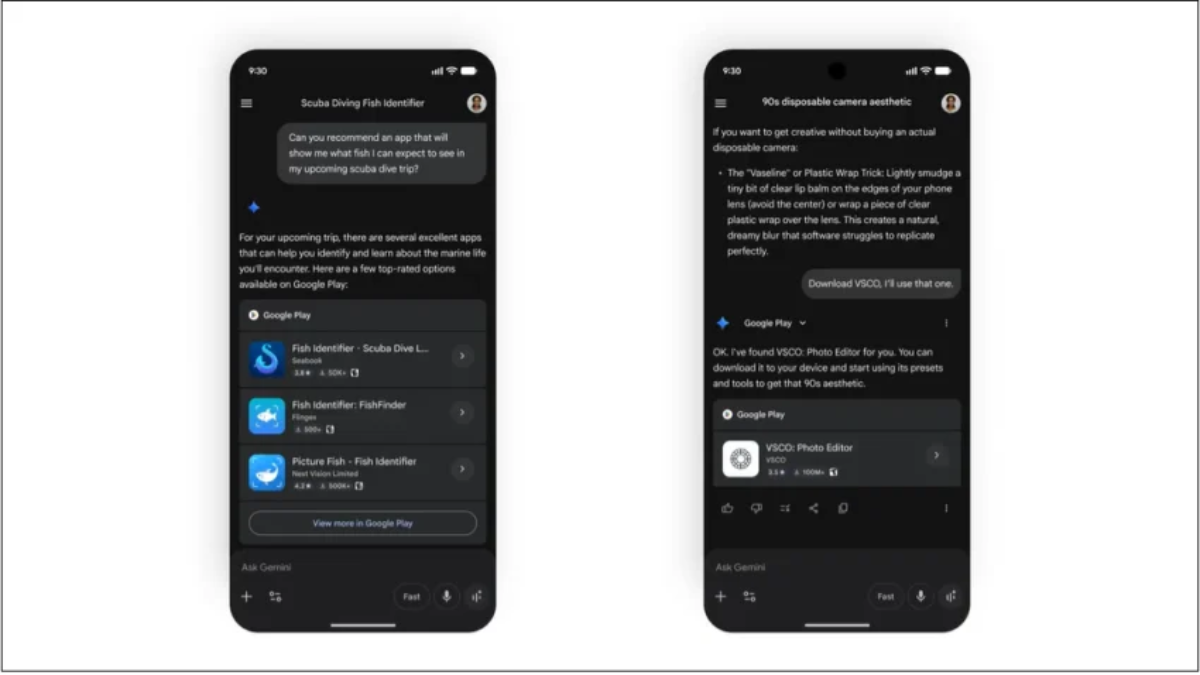
2. Conversational Discovery via “Ask Play AI”
The traditional way of searching for apps—typing a generic keyword into a search box and scrolling through a list of icons—is being replaced by interactive, conversational discovery.
The Ask Play AI overlay changes the store experience into a live conversation. When a user lands on an app page, they don’t have to scroll through walls of text or user reviews to find out if the app fits their needs. Instead, they can ask specific questions directly within the store interface:
“Can this photo editing app handle batch raw image formats without a subscription fee?”
“Does this tool offer an offline map mode that works without cellular service?”
The Ask Play AI engine reads the application’s underlying code, privacy policies, and documentation instantly, providing the user with a clear, accurate answer. This conversational approach improves user confidence and helps drive higher, more qualified download rates.
3. Managing Subscriptions and Mitigating Churn
Retaining active users is one of the biggest challenges for subscription-based mobile apps. The Play Store Console now uses predictive AI models directly within its payment system to spot and prevent user churn before it happens.
[ User Clicks "Cancel Subscription" ] ──► AI Analyzes Usage Logs ──► Delivers Custom Offer Sheet
When a user clicks the “Cancel Subscription” button, the console’s AI agent intercepts the request and reviews the user’s specific app engagement history. If the logs show the user is highly active but recently stopped using certain premium features, the system dynamically generates a tailored offer—such as a discounted three-month extension or an alternative subscription tier—to encourage them to stay.
Additionally, the payment system features an intelligent Grace-Period Modification Management tool designed to handle billing errors gracefully. If a recurring payment fails due to an expired credit card or a temporary bank issue, the system quickly evaluates the user’s account risk profile.
If the user has a long history of successful payments, the AI classifies them as a low-risk subscriber and automatically grants an extended grace period. This keeps their premium access active while gently reminding them to update their billing information, preserving subscription revenue and protecting the user experience.
The Developer Command-Line Interface (CLI) Transformation
While browser-based design tools are perfect for quick prototyping and building lighter applications, professional enterprise development still relies heavily on the local command line.
To bridge this gap, modern development workflows use a next-generation AI-Directed Command Line Interface (CLI) that allows tools like Anthropic’s Claude Code and OpenAI’s Codex to interact directly with local project structures.
Plaintext
┌───────────────────────────────────────────────────────────────────────────┐
│                          [ AI-Directed CLI Loop ]                         │
├───────────────────────────────────────────────────────────────────────────┤
│  1. Human Prompt  ──► 2. CLI Agent Analyzes Dependencies ──► 3. Self-Fix  │
│                                                                   │       │
│  6. Clean Binary  ◄── 5. System Test Verification ◄── 4. Re-Compile Code  │
└───────────────────────────────────────────────────────────────────────────┘
This advanced CLI framework moves past simple text suggestions by allowing an AI agent to run commands, inspect local project folders, manage software dependencies, and handle code compilation directly inside a secure terminal window.
1. Automated Diagnostic and Debugging Workflows
When a complex project fails to compile due to a hidden dependency conflict or an outdated library, a human developer can spend hours digging through error logs and search pages looking for a fix. An AI-directed CLI handles this instantly.
Bash
# Example terminal output showing an autonomous self-healing compilation loop
$ android-ai-cli build --project=./enterprise-finance-app

[INFO] Initializing Android Gradle Compilation Build Pipeline...
[ERROR] Compilation Failed: Unresolved Dependency Conflict detected in root build.gradle.kts
        -> Target library 'androidx.room:room-runtime:2.7.0' requires compiler target 17.
        -> Current project configuration is explicitly bound to Java Compiler Target 11.

[AI AGENT] Analyzing dependency structural tree and historical system upgrade profiles...
[AI AGENT] Resolving conflict: Upgrading local project compiler target parameters to Java 17.
[AI AGENT] Modifying file: ./build.gradle.kts (Line 42: set compatibility target to JavaVersion.VERSION_17)
[AI AGENT] Modifying file: ./app/build.gradle (Line 18: updated toolchain compiler execution context)

$ android-ai-cli rebuild --project=./enterprise-finance-app
[INFO] Re-initializing Compilation Pipeline with updated project schemas...
[SUCCESS] Compilation Successful. Output Binary: ./build/outputs/apk/release/app-release.aab verified.
As shown in this example workflow, the CLI tool doesn’t just display a passive error message. Instead, the agent reviews the project’s internal structure, isolates the root cause of the compilation error, safely modifies the target configuration files, and restarts the build process automatically to deliver a working binary.
2. Streamlining Platform Upgrades
This capability makes the tedious process of updating an older codebase to support new system APIs incredibly efficient. Instead of manually auditing every file, a developer can issue a single command to the terminal:
Bash
ai-agent refactor --target=Android-14-API-Compliance
The agent will systematically audit your entire codebase, spot any deprecated methods or outdated API calls, and automatically rewrite them to match modern platform standards, dramatically cutting down your team’s maintenance overhead.
Chrome DevTools for Agents — The New Testing and Debugging Sandbox
The rise of browser-based AI agents has made classic web debugging tools like the traditional Chrome DevTools console incomplete. Because AI agents interact with web pages programmatically rather than visually, they require a specialized debugging framework built explicitly for machine logic.
                       [ Chrome DevTools for Agents ]
                                     │
        ┌────────────────────────────┴────────────────────────────┐
        ▼                                                         ▼
 [ Headless Performance Profiling ]                        [ Network Call Interception ]
 ├── Tracks real-time memory usage                         ├── Validates JSON payloads
 ├── Isolates script loop hangs                            ├── Spots broken API bindings
 └── Measures canvas execution speed                       └── Logs authentication tokens
Chrome DevTools for Agents solves this challenge by providing a dedicated, headless testing sandbox. This specialized environment allows automated coding systems to deploy, test, and debug their code in real time without requiring a human operator to click through menus.
1. Monitoring Performance and Memory in Headless Environments
When an app or web game runs entirely inside a headless web browser, traditional interface monitoring tools are unusable. The Agent DevTools console fixes this by providing continuous, programmatic access to performance metrics.
The system tracks memory allocation, measures how quickly the layout renders, and monitors Javascript processing loops. If an AI-generated script gets stuck in an infinite loop or triggers a memory leak, the agent debugging console isolates the problematic code string instantly, allowing the creation engine to self-correct the error before the code goes live.
2. Network Interception and Schema Verification
Beyond performance tracking, the debugging suite acts as an intelligent network monitor for your app’s APIs. It inspects every outgoing data payload, verifies that network tokens are transmitted securely, and confirms that incoming data matches your defined WebMCP schemas.
If an external API server changes its data output structure unexpectedly, the DevTools console flags the data mismatch immediately. This notification allows your AI systems to update the application’s data parsing parameters automatically, keeping your live features running smoothly without any downtime.
Core Web Innovations — Advanced Rendering and Passwordless Security
Beyond the headlines surrounding generative artificial intelligence, the core architecture of the web platform is also seeing massive upgrades. These foundational updates give web applications the same rendering performance as native desktop software while fundamentally simplifying user account security.
1. The HTML-in-Canvas API Landscape
For years, web developers building high-performance 3D graphics, intricate browser games, or complex data design dashboards faced a frustrating limitation: the web page’s standard layout engine (the DOM) couldn’t render complex text or UI elements smoothly inside a high-speed <canvas> element.
Traditional Web Layout Engine ──► Heavy DOM Node Traversal ──► Performance Drops & Lag
HTML-in-Canvas Rendering Engine ──► Direct WebGL/WebGPU Pipeline ──► 60+ FPS App Performance
The new HTML-in-Canvas API changes this completely by allowing developers to render complex, accessible HTML components directly inside a canvas layer powered by WebGL and WebGPU.
By bypassing the slow layout calculations of the traditional DOM tree, the browser can render complex interactive menus, vector text shapes, and fast-moving visual assets at a steady 60+ frames per second. This gives web applications the incredibly smooth, responsive feel of a native desktop application.
2. Streamlining Security with Immediate UI Mode
While Passkeys represent the future of secure, passwordless authentication, their actual implementation across the web remains frustratingly fragmented. Many websites force users to navigate confusing drop-down menus just to choose between using a classic password, a social login link, or a secure biometric hardware passkey.
Plaintext
┌───────────────────────────────────────────────────────────────────────────┐
│                      [ Immediate UI Mode Interface ]                      │
├───────────────────────────────────────────────────────────────────────────┤
│                                                                           │
│   👤 User Account Identity Verification Panel                             │
│   ┌───────────────────────────────────────────────────────────────────┐   │
│   │  [Fingerprint / FaceID Biometric Scan Quick Access Button]        │   │
│   └───────────────────────────────────────────────────────────────────┘   │
│   ─── or secondary legacy validation ──────────────────────────────────   │
│   ┌──────────────────────────────────────┐  ┌─────────────────────────┐   │
│   │ ⌨️ Enter Password Text Field         │  │ ➡️ Submit Application   │   │
│   └──────────────────────────────────────┘  └─────────────────────────┘   │
└───────────────────────────────────────────────────────────────────────────┘
The browser’s new Immediate UI Mode completely fixes this fragmented experience by introducing a unified, native login interface. When a user clicks into a login field, the browser automatically opens a standardized security panel that handles both classic passwords and biometric passkeys at the exact same time.
If a passkey is found on the device, the system defaults to a fast fingerprint or facial scan instantly. If the user prefers using a standard password, the traditional text fields remain readily available right below the biometric button. This unified approach eliminates friction for the user while providing world-class security across the entire web ecosystem.
Strategic Evaluation — Navigating the Automated Engineering Future
As software creation tools become increasingly automated, engineering teams and technical leaders must change how they measure the speed, security, and long-term value of their development pipelines. The following strategic decision matrix breaks down the practical advantages and trade-offs of shifting from traditional development practices to an agentic development model:
| Engineering Domain | Traditional Manual Engineering | Automated Agentic Development | Strategic Action Plan |
| Code Production Velocity | Linear: Constrained by human manual typing limits, syntax testing speeds, and debugging schedules. | Exponential: Complete app frameworks can be generated, built, and deployed in minutes using text prompts. | Shift your human engineering focus away from writing repetitive syntax and toward high-level system architecture design. |
| App Store Optimization | Manual: Requires dedicated marketing teams to perform keyword research, run A/B tests, and translate copy. | Algorithmic: Continuous, self-optimizing store profiles update automatically based on real-time global search trends. | Monitor the console’s automated variations closely to ensure they stay perfectly aligned with your core brand voice. |
| API & Agent Integration | Brittle: Relies on visual screen scraping or fragile text parsers that break whenever a layout changes. | Resilient: Exposes explicit, machine-readable JSON tools directly via the native WebMCP standard. | Upgrade your web forms and data structures to comply with WebMCP schemas to make your platform easily discoverable by AI agents. |
| Security & Authentication | Fragmented: Multiple legacy input forms and complex multi-step login flows increase user friction. | Unified: Handled smoothly by Immediate UI Mode, combining passwords and passkeys into one native screen. | Deprecate confusing legacy login steps in favor of native biometric passkey integrations to maximize user conversion rates. |
| System Testing Metrics | Manual Checks: Teams must look over error logs, run local emulators, and write test suites by hand. | Self-Healing Sandbox: DevTools for Agents automatically isolate, trace, and patch runtime errors inside a secure container. | Integrate autonomous debugging sandboxes into your deployment pipelines to catch logic errors before they reach users. |
Essential Safety Protocols for Senior Engineering Leaders
While utilizing automated tools and AI agents can dramatically speed up your development pipelines, deploying code into production environments without strict safety measures can expose your system to architecture issues, dependency vulnerabilities, or security gaps.
To keep your platforms secure and stable, ensure your development teams follow these three core engineering safety rules:
1. Enforce Clear Architecture Isolation Layouts
Never allow an automated generation engine to write code that mixes your frontend user interface designs directly with your core database access layers or sensitive payment processing software.
Always organize your projects using a clean, layered architectural design (such as clean architecture or distinct microservices). By keeping your layout code separate from your core business logic, you can safely use vibe coding to quickly update your frontend features without any risk of breaking your secure payment pipelines or core user databases.
2. Implement Strict Prompt Version Tracking
Treat your natural language development prompts with the exact same level of care as traditional source code strings.
[ Update System Prompt Text ] ──► Code Repository Integration ──► Automated Semantic Review ──► Production Merge
-
Never paste your project prompts directly into an unverified web builder tool. Always manage and save your prompts inside a secure, version-controlled repository like Git.
-
Ensure that every single change made to a system prompt is carefully logged, tied to a specific developer profile, and subjected to a code review by another engineer before it is merged into production. This level of tracking makes it easy to pinpoint and roll back any prompt changes that introduce bugs or security flaws.
3. Maintain Automated Code Dependency Auditing
Because AI code generators are trained on massive public repositories, they can occasionally include outdated libraries, broken packages, or vulnerable code snippets within your project bundle.
Bash
# Set up an automated security check inside your deployment pipeline
$ security-scanner audit --dir=./production-release-bundle --fail-on-vulnerability=high
To protect your applications, integrate automated vulnerability scanners (such as Snyk or GitHub Dependabot) directly into your deployment pipelines. These security tools scan every line of AI-generated code automatically, catching and blocking any outdated dependencies or security vulnerabilities before your app bundle is signed and pushed to the Google Play Store.
Conclusion: Embracing the Role of the Technical Architect
The announcements from Google I/O 2026 show that the traditional boundaries of software engineering are blurring. The web is transitioning from a passive library of text pages into an active network of interactive tools powered by WebMCP.
At the same time, app development is moving away from the manual typing of code strings and toward prompt-driven automation inside Google AI Studio, while digital marketplaces like the Play Console are shifting toward self-optimizing storefronts.
[ Transition from Code Writer ] ──► [ Embrace System Architect Role ] ──► [ Master High-Value Pipelines ]
These automated systems do not mean human engineers are becoming obsolete. Instead, they are freeing developers from the tedious work of writing repetitive boilerplate code and manually tracking down missing semicolons.
The most valuable skill for modern tech professionals is no longer just memorizing coding syntax. It is the ability to design resilient software architecture, manage data securely, and guide automated AI systems safely.
By mastering open standards like WebMCP, setting up intelligent sandboxed testing environments, and managing your prompt architecture with strict engineering discipline, you can leverage this wave of automation to build secure, scalable, and self-healing applications that will define the future of technology.
FAQ
What is WebMCP?
WebMCP (Web Model Context Protocol) is an open web standard that allows websites to expose structured APIs and tools directly to AI agents through machine-readable JSON schemas instead of relying on fragile screen scraping or HTML parsing.
What does “vibe coding” mean?
Vibe coding refers to building software applications through natural language prompts instead of manually writing code line by line. AI systems interpret instructions, generate application logic, compile the code, and deploy the software automatically.
How is AI changing software engineering?
AI is transforming software engineering by automating repetitive coding tasks, debugging issues autonomously, optimizing app store listings, generating UI/UX layouts, and enabling self-healing systems that can repair compilation or runtime errors without human intervention.
What are self-healing applications?
Self-healing applications are software systems capable of detecting, diagnosing, and automatically fixing issues such as dependency conflicts, API mismatches, memory leaks, or broken configurations in real time.
What is the role of AI agents in modern web platforms?
AI agents interact with websites programmatically using standards like WebMCP. They can complete tasks such as booking hotels, managing shopping carts, processing payments, or retrieving structured data without relying on traditional graphical interfaces.
How does Google AI Studio support vibe coding?
Google AI Studio provides a sandboxed environment where developers can generate Android applications using conversational prompts. The platform handles AST parsing, code compilation, testing, and deployment to the Google Play Console.
What is the AI-directed CLI workflow?
AI-directed CLI systems allow AI models to analyze project structures, resolve dependency conflicts, modify configuration files, run tests, and rebuild applications autonomously through command-line environments.
Why is WebMCP important for the future of the internet?
WebMCP transforms websites into machine-readable tool ecosystems, making web services easier for AI agents to understand, interact with, and automate securely and efficiently.
What are the benefits of autonomous app ecosystems?
Autonomous app ecosystems improve development speed, automate testing, optimize app discoverability, personalize user experiences, reduce maintenance workloads, and enable scalable self-optimizing software systems.
How can developers safely use AI-generated code?
Developers should use layered architecture, version-controlled prompt systems, automated dependency audits, secure sandbox testing, and strict code review pipelines to ensure AI-generated applications remain secure and stable.