
The mobile ecosystem has officially entered its next generational phase. Following a series of highly technical deep dives at the Android Show and the landmark Google I/O 2026 developer conference, Google has deployed Android 17 QPR1 Beta 3. This release represents far more than a routine user interface refresh; it marks a structural evolution in mobile computing, centering heavily on cross-device continuity, deeply embedded artificial intelligence, and proactive, zero-trust security frameworks.
For enthusiasts, developers, and power users, the arrival of the Android 17 Beta offers an exclusive, early look at the architectural modifications that will define the flagship smartphone experience for the next year. However, navigating a developer beta requires a solid understanding of system stability, device compatibility, and installation risks.
This comprehensive guide delivers an absolute, human-authored breakdown of Android 17. We will deconstruct its foundational features, map out hardware compatibility metrics across generations of Google Pixel devices, analyze the step-by-step OTA installation methodology, and weigh the clinical risks of early OS adoption.
Architectural Deep-Dive The Core Features Transforming Android 17
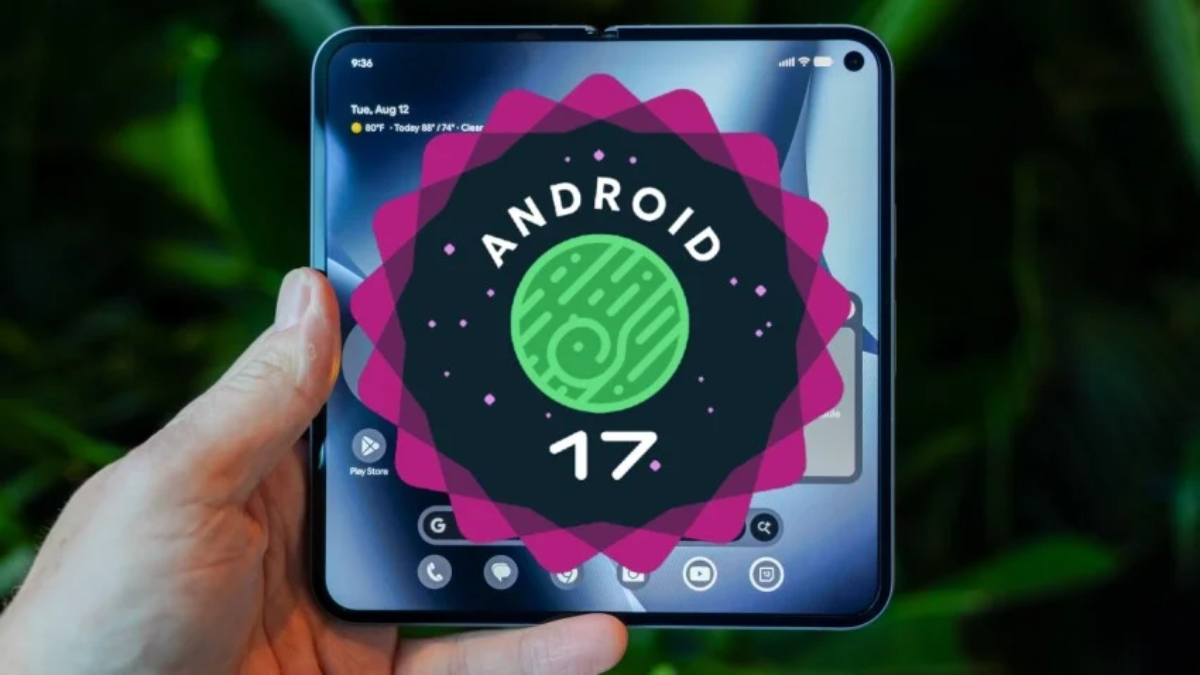
The engineering philosophy behind Android 17 moves away from isolated smartphone experiences and pushes toward a unified hardware ecosystem. Google’s latest operating system is designed to seamlessly bridge the gap between phones, tablets, smart displays, and automotive platforms, while giving users granular control over their privacy.
┌───────────────────────────────────────────────────────────────────────────┐
│                    Android 17 Core Engineering Vectors                    │
├───────────────────────────────────────────────────────────────────────────┤
│  Continuity  ──► "Continue On" cross-device handoff architecture           │
│  Intelligence ──► Gemini automation layers and smart auto-fill nodes      │
│  Security     ──► Local APK sandbox scanning & real-time anti-spoofing    │
└───────────────────────────────────────────────────────────────────────────┘
1. Cross-Device Synergy: The “Continue On” Ecosystem Matrix
For years, one of the most notable advantages of rival ecosystems was the ability to instantly hand off an active task from a phone to a desktop or tablet. With Android 17, Google introduces its native solution: Continue On for Android.
[ Active Phone Session ] ──► Near-Field Device Handshake ──► [ Instant Tablet Session ]
The underlying mechanics rely on a low-latency, encrypted local wireless handshake utilizing a mix of Bluetooth Low Energy (BLE), Ultra-Wideband (UWB), and Wi-Fi Aware technologies. When your Android 17 phone detects an eligible companion device—such as the Pixel Tablet—in close proximity, it creates a secure virtual bridge.
-
App State Synchronization: Rather than simply opening a synchronized web URL, “Continue On” copies the exact state of the application from your phone’s RAM and transfers it over. If you are writing a complex document in Google Docs or browsing multiple research tabs in Google Chrome, the companion tablet opens the application at the exact character cursor position or scroll depth.
-
Future Expansion Pathways: While Beta 3 limits this continuity to mobile-to-tablet transitions within native Google apps (Chrome and Docs), the system API framework is open to third-party developers. By the final stable release, popular productivity suites, photo editors, and social communication tools will be able to map into this ecosystem pipeline.
2. Deep System Intelligence: Gemini Automation Nodes
In Android 17, artificial intelligence moves past basic cloud-based chat widgets and integrates directly into the core operating system. Driven by the enhanced processing power of the Google Pixel 10 and the Galaxy S26 hardware families, Gemini Intelligence handles complex, multi-step tasks across apps.
"Gemini, book a rideshare home." ──► App Interrogation ──► Price Evaluation ──► Secure API Booking
-
Cross-App Automation: Instead of manually launching an app, typing an address, and selecting a ride tier, users can issue a single contextual command. Gemini scans your screen, confirms your location, communicates behind the scenes via secure third-party application APIs, pulls up real-time pricing options, and prepares the final booking screen for your biometric confirmation.
-
Predictive Smart Autofill: The native Android Autofill architecture has been completely upgraded with local semantic processing. When navigating complicated web forms or secure portals in Google Chrome, the system evaluates the overall context of the page, accurately predicting and filling in complex information like tax identifiers, business credentials, or professional registration numbers with high accuracy.
3. Digital Balance: The “Pause Point” Intervention System
As screen-time management shifts away from basic countdown timers, Android 17 introduces Pause Point—a behavioral design tool built to actively disrupt mindless doomscrolling habits.
[ Open Target Social App ] ──► Cognitive Friction Intercept ──► [ Intentional Choice Dialog ]
Traditional app blockers are often easy to override with a quick password tap, which fails to change long-term habits. Pause Point works by introducing mindful friction. When you label a high-distraction application (such as a social media platform or endless-feed video app), launching it instantly brings up a full-screen, calming interface that asks you to pause and intentionally confirm your choice before proceeding.
Users can set strict usage windows, after which the application scales down to grayscale or slows its refresh rate to make continued use unappealing. This design forces you to slow down, encouraging conscious app engagement over habitual scrolling.
4. Media Creation: Native Screen Reactions
The system screen recording engine receives a highly anticipated productivity update with Screen Reactions. This tool allows professionals, educators, and content creators to record high-resolution video of their screen activity while simultaneously embedding a circular front-facing camera feed.
The system records separate high-fidelity audio tracks for internal system sound and external microphone input. This lets you record clean software tutorials, app walkthroughs, or UI design reviews right from your device, removing any need for third-party editing software or complex desktop capture chains.
5. Advanced Security Frameworks: Zero-Trust Engineering
With mobile fraud and physical device theft on the rise globally, Google has built several proactive security updates into the core architecture of Android 17.
                      [ Android 17 Security Layout ]
                                     │
        ┌────────────────────────────┼────────────────────────────┐
        ▼                            ▼                            ▼
 [ Anti-Spoofing Nodes ]     [ Local APK Sandboxing ]     [ Double-Lock Biometrics ]
 ├── Real-time app crosscheck ├── Proactive code scanning  ├── Adaptive theft lock
 └── Eliminates banking scams └── Catches hidden malware  └── Mandates dual-factor PIN
-
Real-Time Anti-Spoofing Bank Protection: Financial fraud often relies on scammers spoofing official bank phone numbers to bypass standard caller ID. Android 17 addresses this by running incoming caller signatures against the cryptographic identification tags of your installed, verified banking applications. If an incoming call claims to be from your financial institution but lacks matching app credentials, the system blocks the call or flashes a bright red security warning to protect you from fraud.
-
Local APK Sandbox Analysis: For users who take advantage of Android’s open ecosystem by sideloading applications, Google Chrome’s Safe Browsing engine now includes a local sandbox scanner. When an Android Package Kit (APK) file is downloaded, the OS unpacks it within an isolated system container, scanning the code for hidden malware strings or suspicious permission requests before allowing installation onto the primary storage partition.
-
Double-Lock Anti-Theft Protection: If a thief snatches your phone while it is unlocked or memorizes your lock-screen PIN, they can easily access sensitive personal data. Android 17 introduces an adaptive security rule: whenever the phone detects suspicious movement patterns (tracked via the gyroscope) or is disconnected from trusted Wi-Fi networks, it automatically shifts to a high-security mode. This mode mandates both a successful biometric scan and a unique secondary passcode before opening financial apps or modifying core security settings.
-
One-Time Precise Location Approvals: Building on previous privacy updates, users can now grant applications temporary permission to access precise GPS coordinates for a single instance. The moment the app is minimized or closed, the permission resets, protecting you from background tracking.
Hardware Compatibility Matrix — Supported Devices
A common point of confusion during early beta cycles is determining exactly which devices are eligible for installation. Google has made the Android 17 Beta available across a broad selection of hardware, dating back to devices released in 2021.
However, this phase of the beta is strictly limited by manufacturer. Third-party custom interfaces, including Samsung’s One UI and other global OEM builds, are excluded from this early testing wave.
┌───────────────────────────────────────────────────────────────────────────┐
│                      Beta Distribution Threshold                          │
├───────────────────────────────────────────────────────────────────────────┤
│  Google Pixel Ecosystem ──► FULL COMPATIBILITY (Pixel 6 through 10)       │
│  Samsung Galaxy Devices ──► EXCLUDED (Must await official One UI Beta)    │
│  Third-Party Global OEMs ──► EXCLUDED (Subject to individual timelines)   │
└───────────────────────────────────────────────────────────────────────────┘
Review the complete matrix below to verify your hardware eligibility:
| Hardware Generation | Specific Model Classification | Chipset Architecture | Expected Performance Profile |
| Pixel 10 Series | Pixel 10, Pixel 10 Pro, Pixel 10 Pro XL, Pixel 10 Pro Fold, Pixel 10a | Google Tensor G5 | Optimized: Full hardware support for all Gemini AI automation features and localized sandbox processing. |
| Pixel 9 Series | Pixel 9, Pixel 9 Pro, Pixel 9 Pro XL, Pixel 9 Pro Fold, Pixel 9a | Google Tensor G4 | Excellent: Highly stable frame rates; smooth transitions across multi-device “Continue On” tasks. |
| Pixel 8 Series | Pixel 8, Pixel 8 Pro, Pixel 8a | Google Tensor G3 | Stable: Excellent daily performance, though advanced Gemini automation may show minor processing delays. |
| Pixel 7 Series | Pixel 7, Pixel 7 Pro, Pixel 7a | Google Tensor G2 | Moderate: Solid daily use; minor system stutter may occur during heavy Screen Reaction recordings. |
| Pixel 6 Series | Pixel 6, Pixel 6 Pro, Pixel 6a | Google Tensor G1 | Legacy Baseline: Fully functional core security layers, but advanced AI processing is handled in the cloud. |
| Alternate Form Factors | Pixel Fold, Pixel Tablet | Tensor G2 / G3 | Optimized Layouts: Full support for large-screen split views and “Continue On” receipt frameworks. |
Installation Protocol — Upgrading to Android 17 Safely
Upgrading to a developer beta requires a careful, methodical approach. Skipping necessary preparations or rushing through the update can result in data corruption, boot loops, or a completely unresponsive phone.
┌───────────────────────────────────────────────────────────────────────────┐
│                    7-Day Pre-Flight & Installation Path                   │
├───────────────────────────────────────────────────────────────────────────┤
│  Step 1: Execute complete system backup to Google Cloud Storage           │
│  Step 2: Authenticate via the web-based Android Beta Portal               │
│  Step 3: Manually check for updates over Wi-Fi (Settings > System)        │
│  Step 4: Maintain beta path until stable public launch in summer          │
└───────────────────────────────────────────────────────────────────────────┘
Follow this step-by-step framework to enroll your eligible Pixel device safely:
Step 1: Pre-Flight Cloud Backup Calibration
Before touching the enrollment portal, back up all your data. Navigate to Settings > Google > Backup and select Back up now.
Ensure all your two-factor authentication (2FA) apps are synced to a cloud account, copy your crypto wallet seed phrases to a secure offline location, and verify that your photos are fully backed up to Google Photos.
Critical Warning: If you decide the beta build is too unstable for daily use and want to roll back to Android 16, the system will force a full factory reset, completely erasing your device’s local storage. Having a fresh cloud backup is your only safety net.
Step 2: Digital Registration via the Beta Portal
-
Open a web browser on a desktop computer or your mobile device and go to the official Android Beta for Pixel registration page.
-
Log in using the exact same primary Google Account that is actively signed into your eligible Pixel phone or tablet.
-
Scroll down past the program guidelines to the Your eligible devices section. The portal will automatically display any compatible Pixel devices linked to your account.
-
Click the Opt In button underneath the device you want to use for testing. Review and accept the terms of service and developer privacy agreements.
Step 3: Triggering the Over-The-Air (OTA) Package
Once your account is enrolled online, Google’s servers will push the update package directly to your device.
[ Web Opt-In Click ] ──► Server Queue Authorization ──► [ Manual System Update Check ] ──► OTA Download
-
On your Pixel device, open the main Settings menu.
-
Scroll down and select System, then tap on System update.
-
Tap Check for update. The phone will reach out to Google’s distribution servers and pull down the Android 17 QPR1 Beta 3 file package (this file is usually between 2GB and 3.5GB, depending on your phone model).
-
Select Download and install. Ensure your device is connected to a fast, stable Wi-Fi network and has at least 50% battery life (or is plugged directly into a charger) before starting the installation.
Step 4: System Integration and Optimization
The phone will install the new operating system files in the background on a secondary storage slot (A/B partition system). Once the download finishes, you will see a prompt to restart your phone.
Tap Restart now. The phone will reboot, showing a deep system installation bar. This restart process can take anywhere from 10 to 25 minutes, during which the phone may feel warm to the touch as it optimizes app caches.
When the lock screen appears, enter your passcode to access your freshly updated Android 17 setup.
Risk-Benefit Analysis for Daily Drivers
Deciding whether to install an early beta on your primary smartphone requires balancing exciting new features against potential daily frustrations. Because this software is still under active development, users will inevitably encounter bugs.
                    [ The Daily Driver Evaluation Scaler ]
                                       │
        ┌──────────────────────────────┴──────────────────────────────┐
        ▼                                                             ▼
 [ The Benefits Profile ]                                      [ The Liability Profile ]
 ├── Early access to ecosystem handoff                         ├── Incompatible corporate enterprise apps
 ├── Advanced predictive auto-fill tools                       ├── Random background memory leaks
 └── Cutting-edge zero-trust security layers                   └── Increased battery drain & heat
The Benefits
-
Early Access to Cutting-Edge Features: You get to test and integrate ecosystem tools like “Continue On” cross-device handoffs and advanced Gemini automations months before the general public.
-
A First Look at Advanced Security: Your device is immediately protected by advanced security frameworks, including local APK sandboxing and real-time anti-spoofing call verification.
-
Shape the Future of Android: By submitting bug logs and performance reviews through the built-in Android Feedback app, you directly help Google’s engineering teams refine the OS before its official launch.
The Risks
-
Potential App Incompatibilities: Many high-security applications—such as mobile banking portals, corporate enterprise security keys, and competitive multi-player games—use strict root-checking systems. These apps may see a developer beta as an unsecured platform and refuse to launch entirely until the official public stable OS release.
-
Background Memory Leaks and Stutter: Early beta builds often include extra debug tracking code running silently in the background. This can cause random system stutters, temporary user interface freezes, and sudden app crashes during intensive tasks.
-
Increased Battery Drain and Heat: Because the operating system’s power management paths are still being optimized, running the Android 17 beta can lead to increased battery usage and a warm device during regular tasks, which can affect long-term battery health over time.
Conclusion: Balancing Innovation with Daily Stability
Android 17 QPR1 Beta 3 is a major milestone in mobile software engineering, successfully blending cross-device harmony, helpful AI automation, and deep security protections into a single package. It shows a clear path forward where our devices work together intelligently to save us time and keep us safe.
For tech enthusiasts, developers, and users with a secondary testing device, enrolling in the beta is a rewarding experience that lets you help shape the future of the platform. However, if you rely on your phone for critical daily tasks, business communications, or seamless banking access, it is usually best to wait for the polished, stable public rollout coming this summer. Whichever path you choose, Android 17 marks the beginning of an exciting, connected new chapter for the entire ecosystem.
FAQ — Android 17 QPR1 Beta 3
1. What is Android 17?
Android 17 is the next-generation Android operating system currently in developer beta, focusing on AI integration, cross-device continuity, and stronger security architecture for Pixel devices.
2. Is Android 17 stable enough for daily use?
No. As a developer beta, it may contain bugs, battery drain issues, and app incompatibilities. It is recommended for testing on secondary devices only.
3. Which devices support Android 17 Beta?
The beta is mainly available for recent Google Pixel devices, typically from Pixel 6 series and newer. Other Android brands usually receive updates later.
4. What is the biggest new feature in Android 17?
The most notable feature is cross-device continuity (“Continue On”), allowing seamless task switching between phone, tablet, and other connected devices.
5. Does Android 17 improve AI features?
Yes. Android 17 deeply integrates AI automation (Gemini-based systems) that can perform multi-step actions across apps, such as booking, searching, or autofilling forms.
6. Can I go back to Android 16 after installing the beta?
Yes, but rolling back usually requires a factory reset, which will erase all local data unless you have a backup.
7. What are the risks of installing Android 17 Beta?
Common risks include unstable performance, overheating, reduced battery life, app crashes, and incompatibility with banking or enterprise apps.
8. How do I install Android 17 Beta on a Pixel device?
You must enroll your device in the official Android Beta Program, then check for an OTA update in Settings > System > System Update.
9. Will all apps work on Android 17 Beta?
No. Some apps—especially banking, security, and games with anti-cheat systems—may refuse to run on beta builds.
10. Is Android 17 focused more on security?
Yes. It introduces features like local APK sandbox scanning, anti-spoofing call detection, and adaptive biometric security locks.
11. Who should install Android 17 Beta?
Developers, testers, and tech enthusiasts with spare Pixel devices. It is not recommended for users who rely on their phone for critical daily tasks.