For over a decade, using a smartphone has followed a predictable pattern: you open an app, perform an action, copy some data, close the app, open a second app, and paste the data. We have become digital couriers, manually carrying information across the isolated siloes of our mobile operating systems.
With the arrival of Android 17, that era is coming to an end.
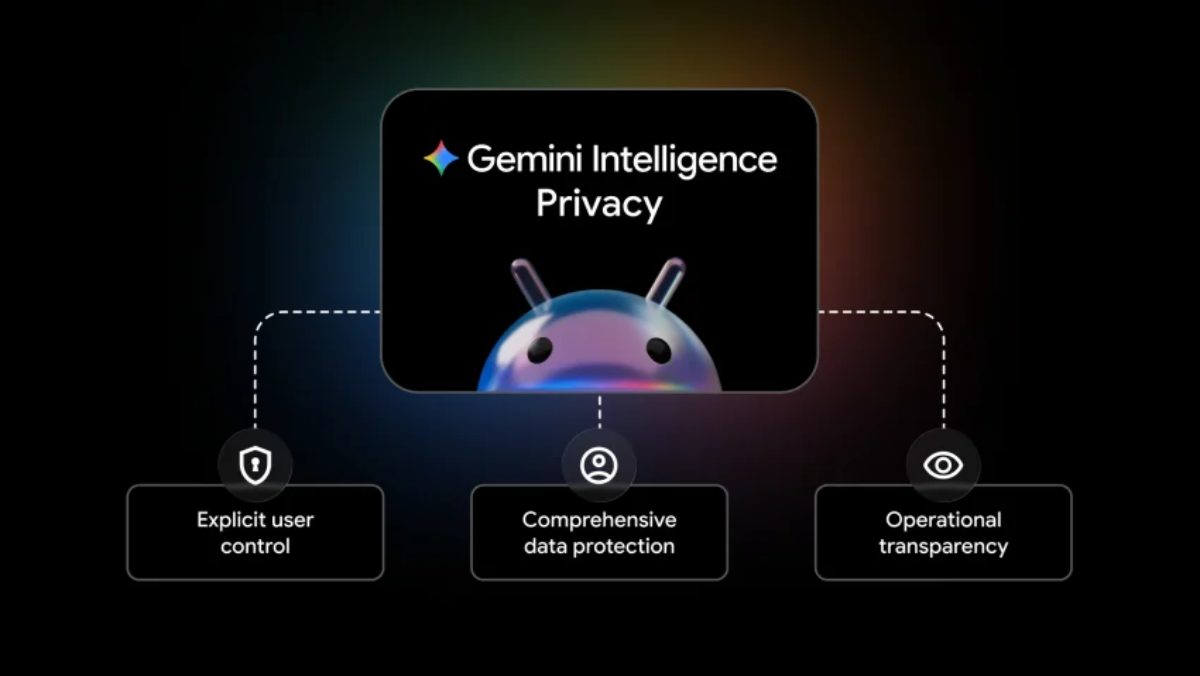
Unveiled at Google’s pre-I/O Android Show event, the next iteration of the mobile OS introduces a deep architectural shift called Gemini Intelligence. This isn’t just another conversational chatbot pinned to your home screen; it is a native, system-level agent capable of looking across your applications, understanding context, and executing multi-step tasks on your behalf.
Alongside major security updates, automotive upgrades, and encrypted AI spaces on WhatsApp, mobile computing is shifting from reactive tools to proactive agents. Here is a comprehensive guide to the massive changes arriving on your devices.
Deconstructing Gemini Intelligence — The Era of Agentic AI
The headline feature of Android 17 is the ability to hand over complex, multi-app workflows to Gemini. Instead of simply asking an AI to write a paragraph or summarize a block of text, you can now instruct it to execute real-world logistics.
                             [ The Cross-App Agentic Workflow ]
                                             │
         ┌───────────────────────────────────┼───────────────────────────────────┐
         ▼                                   ▼                                   ▼
   [ Scan Context ]                       [ App Execution ]               [ Final Verification ]
   ├── Read syllabus in Gmail             ├── Open online bookstore       ├── Compile items in cart
   └── Identify required textbooks        └── Search and match titles     └── Await user biometric token
Real-World Multi-App Automations
Google has showcased several core workflows that demonstrate how seamlessly these app boundaries are being broken down:
-
The Academic Routine: You can instruct Gemini to scan a newly received class syllabus inside Gmail, identify the required reading list, open an online bookstore app, find the correct editions, and add those books directly to your shopping cart.
-
Dynamic Schedule Optimization: If you want a better spot in your local spin class, Gemini can actively monitor the booking app in the background and instantly secure an optimized reservation the moment a premium slot opens up.
The Safeguard Principle: To prevent runaway AI actions, Google has built a strict confirmation boundary into the system. Gemini operates entirely under your command, executes the designated task, and pauses at the final gate. The AI cannot authorize payments or finalize bookings without your explicit biometric or manual confirmation.
Device Eligibility and Rolling Launch Timelines
Because cross-app orchestration demands massive processing power, Gemini Intelligence features are heavily split across hardware tiers:
[ Mid-2026 Launch ] ──► Samsung Galaxy S26 & Google Pixel 10 (Full On-Device Agentic Suite)
[ Late 2026 Rollout ] ──► Broad Multi-OEM Release (Scaled capabilities based on processor limits)

Beyond the Hype — Hidden System Features and Upgrades
While agentic workflows are capturing headlines, Android 17 is also introducing an extensive suite of practical features designed to improve daily usability, productivity, and privacy.
                    [ Android 17 Feature Ecosystem ]
                                   │
         ┌─────────────────────────┼─────────────────────────┐
         ▼                         ▼                         ▼
 [ Productivity & UI ]      [ Security & Anti-Theft ] [ Creative Integration ]
 ├── Create My Widget AI    ├── Direct Bank Verification ├── Intra-App Ultra HDR Insta
 ├── Rambler Tic-Scrubbing  ├── Network Lockdown Modality├── AI Night Sight Video Upscale
 └── Pause Point App Detox  └── Post-Quantum Crypto   └── Reaction Video Workflow
1. Intelligent Customization and Productivity Tools
-
Create My Widget: Moving past rigid widget layouts, this AI-powered builder allows you to use natural language to design custom shortcuts, tailoring app features, layout shortcuts, and sound profiles into personalized glanceable widgets.
-
Rambler Transcription with Verbal Tic Filtering: The system’s voice recording suite receives a major upgrade. When transcribing audio, the on-device AI automatically scrubs out distracting verbal fillers—like “um,” “uh,” and “like”—leaving behind clean, professional text files.
-
The Pause Point App Detox: To help combat screen addiction, this digital wellbeing feature lets you mark specific apps as distracting. When you attempt to open them, the phone forces a 10-second pause window, prompting you to take a deep breath or look at your personal photos instead of falling into a scroll hole.
2. Upgraded Social Media and In-App Creativity
Google has collaborated directly with Meta to integrate hardware-level camera features right into third-party apps:
-
Instagram Ultra HDR and Native Night Sight: Android 17 allows top-tier devices to capture photos and videos in full Ultra HDR color and use Google’s advanced Night Sight low-light algorithms directly inside the Instagram camera interface.
-
On-Device Video Clean Up: Users can apply automated AI upscaling and background wind-noise isolation filters directly to recorded clips before publishing.
-
Advanced Video Layouts: Later this summer, Pixel devices will pick up a streamlined layout for filming reaction videos, while the Galaxy S26 and vivo X300 Ultra will debut APV (Advanced Professional Video) format support, bringing professional-grade video editing assets directly to mobile creators.
Ironclad Security — Scam Defense and Theft Protection
Security in Android 17 is receiving a major upgrade, with several critical safety tools being backported to protect users on older devices.
                    [ Multi-Generational Security Layer ]
                                      │
         ┌────────────────────────────┴────────────────────────────┐
         ▼                                                         ▼
 [ Android 17 Exclusives ]                                 [ Backported Defenses ]
 ├── Selective Contact Field Access                         ├── Real-Time Bank Call Verification (Android 11+)
 ├── Post-Quantum Cryptographic Protocols                  └── Kinetic Theft Auto-Locking (Android 10+)
 └── Wi-Fi & Bluetooth Beacon Isolation                    └── Target: High-theft global markets
Real-Time Bank Call Verification
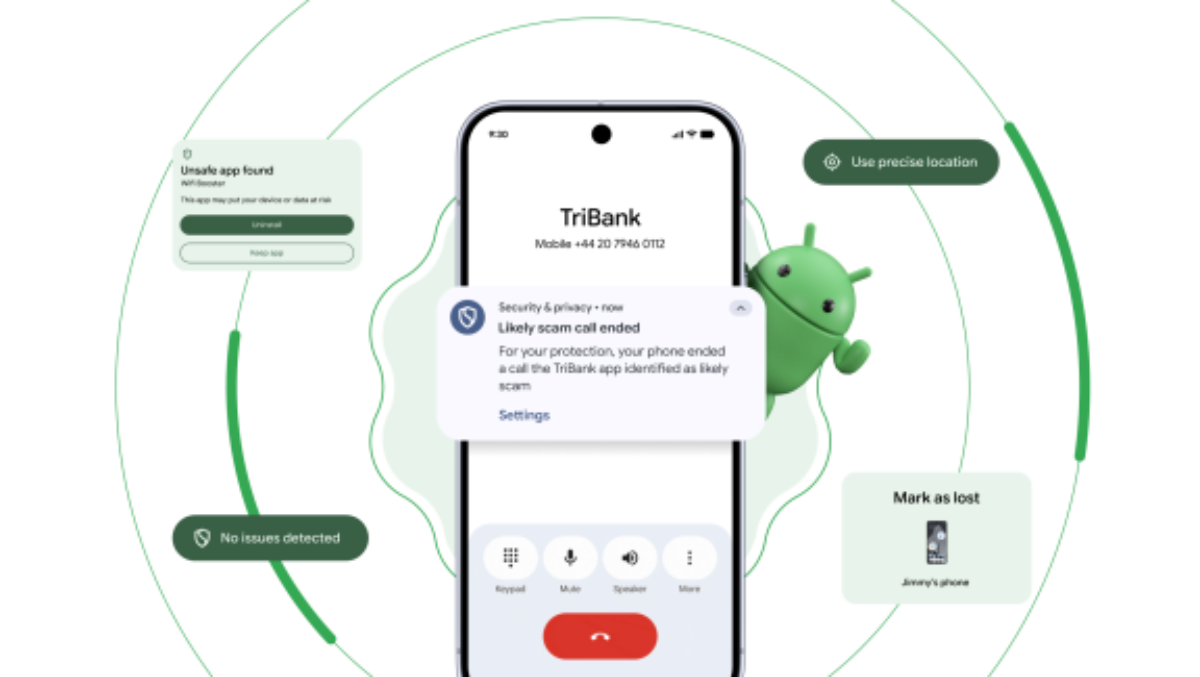
To combat the global rise of sophisticated phishing scams, Android is introducing an active verification layer for incoming phone calls. When a caller claims to represent your financial institution, Android securely pings your installed banking app to verify if an outbound call has actually been authorized. If the app confirms no such call is active, or if the number is flagged, the system automatically drops the call.
Backward Compatibility: This critical security layer is not locked behind new hardware. Google is pushing this feature out to devices running versions as far back as Android 11 (2020), launching alongside initial banking partners Revolut, Itaú, and Nubank.
Kinetic Theft-Detection and Network Lockdowns
-
Kinetic Auto-Lock (Backported to Android 10): Using your phone’s built-in accelerometers and gyroscopes, this feature detects the sudden, high-speed movement signatures of a physical phone snatch. The device instantly locks its screen, securing your data before the thief can run away. This is rolling out to high-demand markets including Argentina, Chile, Colombia, Mexico, and the United Kingdom.
-
Network Beacon Isolation (Android 17): If a device is officially marked as lost by its owner via the Find My Device network, Android 17 completely cuts off the phone from accepting new Wi-Fi or Bluetooth connections, preventing thieves from using wireless exploits to bypass security checks.
Granular Privacy Control: Finer Contacts and Location Pickers
Apps have historically demanded all-or-nothing access to your personal data. Android 17 steps in with much tighter control over these requests:
| Privacy Domain | Legacy Android Protocol | Android 17 Protocol |
| Location Access | Continuous, background tracking permissions. | Short-term, precise peek permissions without ongoing awareness. |
| Contacts Management | Complete address book scraping required by apps (e.g., WhatsApp/ChatGPT). | Selective picker allowing access only to specific contacts or individual fields. |
The Privacy Shift — WhatsApp Incognito AI Chats
As mobile operating systems tighten their security, communication platforms are also addressing privacy concerns around AI interactions. Many mainstream AI tools log, index, and store user prompts for months to train future models, which can pose a risk if you share financial, personal, or health details.
To solve this, WhatsApp has introduced Incognito Chat with Meta AI.
[ User Phone Terminal ] ───( End-to-End Encrypted Tunnel )───► [ Confidential TEE Server Architecture ]
                                                                             │
                                                                             ▼
[ Local Memory Purge ] ◄───( Anonymized Data Return )───────────────── Anonymized Processing
End-to-End Encrypted AI Processing
This new feature extends WhatsApp’s signature end-to-end encryption from your physical device directly to the specialized computing clusters hosting the AI models.
-
The Secure Tunnel: Your query is sent through an encrypted tunnel that shields the data from outside eyes.
-
Anonymized Processing: Meta’s internal systems route traffic in a way that prevents them from linking queries to specific phone numbers or accounts.
-
Local Memory Purge: The moment you close your active chat session, the conversation log is wiped from your device. No history is saved on remote servers, providing a safe space to ask highly confidential personal, medical, or professional questions.
Android Auto and the Connected Vehicle Ecosystem
Google is also expanding its footprint well beyond your phone, bringing Gemini Intelligence and advanced media processing directly to your car’s dashboard.
                      [ Connected Car Dashboard Systems ]
                                       │
         ┌─────────────────────────────┴─────────────────────────────┐
         ▼                                                           ▼
 [ Android Auto Phone Mirroring ]                            [ Embedded Android Automotive OS ]
 ├── Material 3 Expressive UI design overhaul                ├── Camera-integrated live lane guidance overlay
 ├── On-device Gemini "Magic Cue" smart replies              ├── Plain-language diagnostic error decoding
 └── HD 60fps YouTube streaming (Parked position)            └── Native in-dash productivity suites
1. Android Auto Overhaul (Phone Mirroring)
Vehicles utilizing phone-mirroring systems receive the gorgeous Material 3 Expressive visual design language, alongside highly detailed “Immersive Navigation” mapping updates.
Drivers can also use Gemini’s Magic Cue to send smart, context-aware message replies or order dinner via DoorDash directly from the touchscreen on their drive home. For entertainment while parked, cars from major manufacturers like BMW, Mercedes-Benz, Ford, Hyundai, and Volvo now support smooth 60fps Full HD YouTube playback, which automatically switches to an immersive, Dolby Atmos audio-only feed the moment the vehicle is put into drive.
2. Embedded Android Automotive Capabilities
For vehicles featuring built-in Google software architectures—such as General Motors’ integrated setups—the platform connects directly with the vehicle’s onboard sensors and hardware:
-
Live Camera Lane Guidance: The center console blends real-time video feeds from your car’s forward-looking cameras with digital navigation lines, mapping out exactly which lane you need to be in.
-
Plain-Language Diagnostics: When a dashboard warning light turns on, you no longer have to dig through a paper manual. The onboard system analyzes the error code and explains exactly what the issue means in plain language, helping you decide whether you need to pull over immediately or simply visit a service center soon.
Summary Comparison: The Core Ecosystem Upgrades
To wrap up this overview of Google’s latest updates, here is a quick look at how these new technologies compare:
| Technological Layer | Primary Innovation | Standout Feature | User Experience Impact |
| Android 17 OS | Cross-app automation via system agents. | Gemini Intelligence tasks (e.g., automated cart curation). | Turns your phone from a collection of isolated apps into a proactive assistant. |
| Ecosystem Security | Backported AI defenses and tighter data controls. | Bank call verification and kinetic anti-theft locks. | Significantly reduces scam exposure and physical data theft risks. |
| WhatsApp Privacy | Encrypted, confidential AI processing. | Incognito Chat sessions with Meta AI. | Allows users to ask sensitive questions without leaving a digital data trail. |
| Automotive AI | Context-aware driving assistance. | Magic Cue text automation and real-time lane video overlays. | Minimizes distractions while keeping you connected on the road. |
The updates coming with Android 17 and Gemini Intelligence mark a clear turning point for mobile technology. Our devices are growing past simple app ecosystems and moving toward smart, secure, and unified personal assistants that respect our privacy and adapt seamlessly to our daily lives.
Frequently Asked Questions (FAQ)
What exactly is “Gemini Intelligence” in Android 17?
Gemini Intelligence is Google’s new system-level AI framework designed to work across multiple apps at once. Instead of functioning like a standalone chatbot, it acts as an intelligent assistant that can understand context, move between apps, and complete multi-step workflows on your behalf.
How is this different from using regular AI chatbots?
Traditional chatbots mostly respond to prompts inside a single interface. Gemini Intelligence can interact directly with your apps and operating system.
For example, it can:
- Read information from Gmail
- Open a shopping app
- Search for products
- Add items to a cart
- Pause before payment for your approval
This transforms AI from a passive assistant into an active task executor.
Will Gemini be able to make purchases automatically?
No. Google says Android 17 includes a “human confirmation boundary.”
Gemini can prepare tasks, but:
- Payments
- Bookings
- Financial approvals
- Sensitive confirmations
still require biometric verification or manual approval from the user.
Which phones will support the full Android 17 AI experience?
The most advanced features are expected to launch first on flagship devices with powerful AI hardware, including:
- Google Pixel 10 series
- Samsung Galaxy S26 lineup
Other Android brands may receive scaled-down versions later depending on processor capabilities.
Will older Android phones get any of these features?
Yes. Several security upgrades are being backported to older Android versions.
Some protections are reportedly coming to:
- Android 11 and newer
- Android 10 for theft-detection locking
This means you may still receive important protections even without Android 17.
What is the new bank-call scam protection?
Android will verify suspicious banking calls in real time by checking with supported banking apps to determine whether the call is legitimate.
If a scammer pretends to represent your bank:
- Android can detect inconsistencies
- Warn you
- Or automatically terminate the call
How does the kinetic theft lock work?
The phone uses motion sensors like accelerometers and gyroscopes to detect sudden snatch-and-run movements.
If Android suspects your phone has been stolen:
- The screen locks immediately
- Access is restricted before thieves can disable protections
What is “Pause Point” app detox mode?
Pause Point is a digital wellbeing feature that adds a forced delay before opening distracting apps.
Instead of instantly launching social media, Android:
- pauses for 10 seconds
- encourages mindfulness
- may display calming prompts or personal photos
The goal is to reduce impulsive scrolling habits.
What does “Create My Widget” do?
It allows users to create customized widgets using natural language prompts.
Instead of manually designing layouts, you can request things like:
- “Build a travel widget with weather and boarding passes”
- “Create a work dashboard with Gmail and calendar shortcuts”
The AI generates the widget automatically.
Can Android 17 improve Instagram photo quality?
Yes. Google and Meta are integrating advanced camera processing directly into Instagram.
Supported devices may gain:
- Ultra HDR support
- Native Night Sight
- Better low-light video
- AI-powered audio cleanup
inside the Instagram app itself.
Is WhatsApp’s new AI chat mode actually private?
According to Meta, the new Incognito AI Chat system uses:
- end-to-end encrypted tunnels
- anonymized processing
- temporary session handling
The goal is to prevent long-term storage of sensitive AI conversations.
Will Meta or Google still train AI models using those chats?
Meta claims Incognito Chat sessions are designed to avoid persistent storage and account-linked logging. However, users should still read the official privacy policies carefully once the feature launches publicly.
What is “Network Beacon Isolation”?
If your device is marked as stolen through Find My Device:
- Android blocks new Wi-Fi connections
- Bluetooth pairing is disabled
This helps prevent thieves from bypassing security through wireless attacks.
What privacy improvements are coming for contacts and location access?
Android 17 introduces more granular permissions.
Instead of giving apps:
- full contact lists
- constant location tracking
you can grant:
- temporary access
- single-contact sharing
- limited-field permissions
This reduces unnecessary data exposure.
What upgrades are coming to Android Auto?
New features include:
- Material 3 redesigns
- Gemini-powered smart replies
- YouTube playback while parked
- Immersive navigation overlays
- AI driving assistance
Vehicles with built-in Android Automotive systems may also receive live camera-based lane guidance.
Will Gemini work offline?
Some AI functions may run directly on-device, especially on flagship hardware with dedicated AI chips. More demanding workflows will likely still rely on cloud processing.
Is Android 17 mainly about AI?
AI is the centerpiece, but the update also focuses heavily on:
- security
- anti-theft protection
- privacy controls
- productivity
- automotive integration
- media creation tools
The broader goal is turning smartphones into proactive assistants rather than isolated app collections.
When is Android 17 expected to launch?
Google previewed the platform during its pre-I/O Android Show event. Wider rollout timing is expected to begin in mid-to-late 2026, depending on device manufacturers and regional availability.