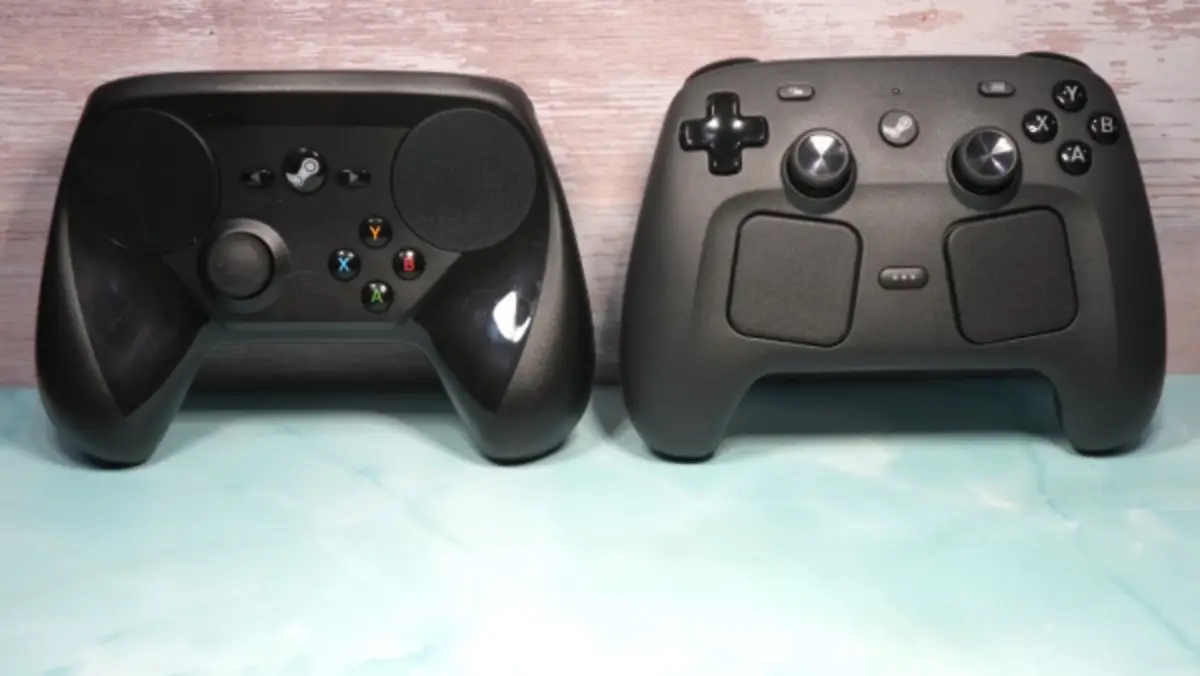
If you’ve been gaming on PC for a while, you probably remember the original Steam Controller—and not always fondly. It was experimental, sure, but also awkward and divisive.
Fast forward 11 years, and Valve Corporation is back with a completely redesigned version. The Steam Controller (2026) isn’t just an upgrade—it’s a full reboot.
So, is it finally the ultimate PC gamepad? Let’s break it down.
⭐ Verdict: A Huge Leap Forward
The new Steam Controller (2026) earns a strong 4.0/5 rating thanks to its premium feel, deep customization, and feature-packed design.
It’s easily one of the best controllers for PC gamers—as long as you live inside the Steam ecosystem.
Design: Finally Feels Like a Premium Controller
The biggest improvement is the build quality.
The original felt light and somewhat cheap. This time, the controller feels:
- Solid and well-balanced
- Comfortable to grip
- Textured for better control
The layout has also been redesigned. Instead of the odd single-stick setup, you now get:
- Dual analog sticks (PlayStation-style placement)
- Standard ABXY buttons
- A proper D-pad
- Two refined touchpads
The result? A controller that feels familiar but still unique.
Features: Packed With Advanced Tech
The Steam Controller (2026) is loaded with features that go beyond standard gamepads:
- TMR analog sticks (resistant to drift)
- Dual touchpads for precision control
- Gyro aiming for motion-based input
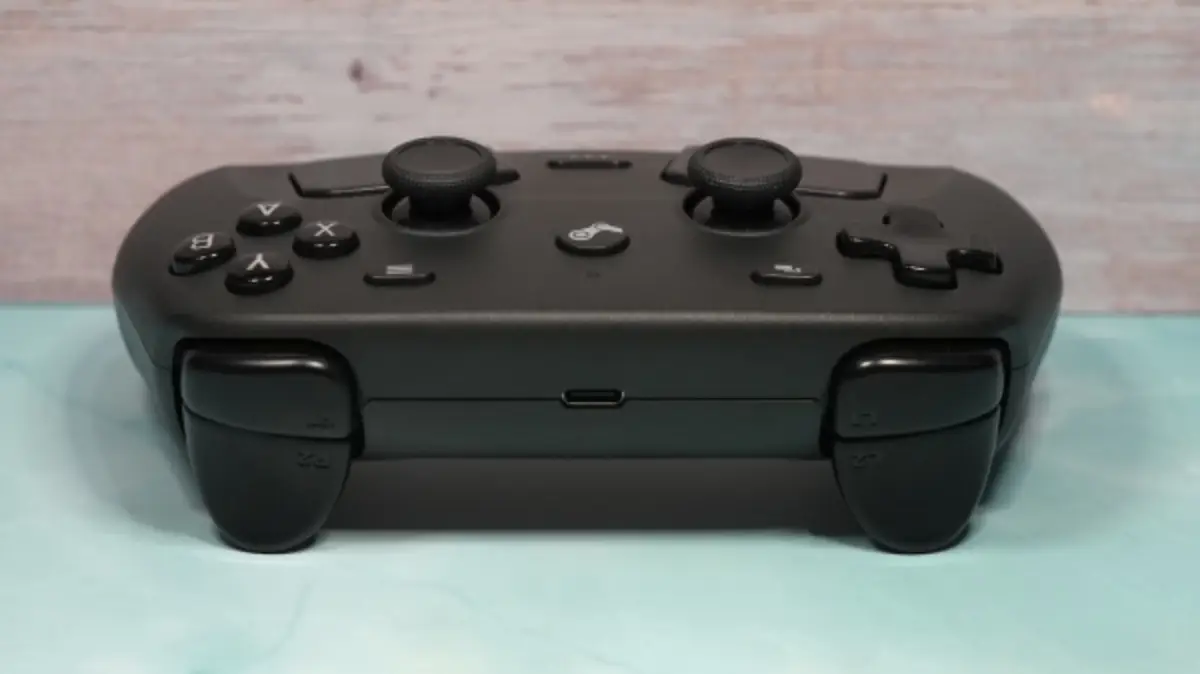
- Rear buttons for extra customization
- Haptic feedback for immersive feel
It even includes grip sensors, though not everyone will find them useful.
Compared to the DualSense Wireless Controller, it lacks adaptive triggers—but makes up for it with flexibility and customization.
Unique Charging System: Small but Smart
One standout feature is the magnetic charging puck.
Instead of a bulky dock:
- You place the controller on a small magnetic connector
- It snaps into place and starts charging instantly
It’s simple, compact, and surprisingly convenient.
Battery life is also impressive—up to 35 hours per charge, which beats many competitors.
Connectivity: Great… But Limited
The controller supports:
- USB-C (wired)
- Bluetooth
- Wireless via the included transmitter
However, there’s a catch.
This controller is built specifically for:
- Steam
- Steam Deck
- Mobile via Steam Link
It does not work natively with consoles and has major issues with Xbox Game Pass on Windows.
That limitation alone could be a dealbreaker for some users.
Customization: Almost Unlimited Control
This is where the Steam Controller truly shines.
Through Steam, you can:
- Remap every button
- Adjust sensitivity for sticks, triggers, and gyro
- Create custom profiles for each game
- Use community-made control layouts
It’s one of the most customizable controllers ever made.
That said, beginners might find the options overwhelming at first.
Performance: Smooth, Responsive, and Precise
In actual gameplay, the controller performs exceptionally well.
- Analog sticks feel smooth and accurate
- Buttons are responsive and satisfying
- Gyro aiming adds a new level of precision
The touchpads also work surprisingly well, especially for strategy games or cursor control.
The Biggest Drawback
Despite all its strengths, the Steam Controller has one major flaw:
👉 It only works properly within Steam
Games outside Steam can work—but require setup.
And titles from Xbox Game Pass? Basically a no-go.
This limitation holds it back from being a truly universal controller.
Final Thoughts: Who Should Buy It?
The Steam Controller (2026) is an excellent gamepad—arguably one of the best for PC gaming today.
You should buy it if:
- You mainly play games on Steam
- You love customizing controls
- You own a Steam Deck
You might skip it if:
- You rely on Xbox Game Pass
- You want a plug-and-play universal controller
- You game across multiple platforms
At $99.99, it’s not cheap—but considering what it offers, it’s a solid investment for the right user.
Final Verdict
The new Steam Controller fixes nearly everything that went wrong with the original. It’s powerful, flexible, and genuinely fun to use.
It may not be perfect—but for Steam users, it’s about as close as it gets.
Frequently Asked Questions (FAQ)
1. Is the Steam Controller (2026) worth buying?
Yes, especially if you primarily use Steam. It offers excellent performance and deep customization.
2. Does the Steam Controller work with Xbox Game Pass?
No. Due to system restrictions, it doesn’t work properly with Xbox Game Pass games on Windows.
3. Can I use the Steam Controller on consoles?
No, it is not compatible with consoles like PlayStation or Xbox.
4. What makes this controller different from others?
Its standout features include:
- Touchpads
- Gyro controls
- Advanced customization via Steam
5. How long does the battery last?
The controller offers up to 35 hours of battery life, which is longer than many competing controllers.