For years, Android users have lived with a frustrating reality: digital payments on Android never quite felt as polished as they should.
While Apple Pay gained widespread recognition and seamless branding, Google Wallet struggled with identity, usability, and consistency.
But in 2026, that finally changes.
With its biggest overhaul in years, Google Wallet is evolving from a cluttered “junk drawer” into a structured, intelligent digital wallet—and it might finally be catching up (or even surpassing) the competition.
A Long and Confusing History
To understand why this update matters, we need to look back.
Google’s journey in digital payments has been… complicated.
Timeline of Changes
- 2011 → Google Wallet launched (early NFC innovation)
- 2014 → Apple Pay enters the market
- 2015–2018 → Split into Android Pay + Google Wallet
- 2018 → Rebranded into Google Pay
- 2020 → Confusing dual Google Pay apps
- 2022 → Google Wallet returns as main payment app
The result? Years of confusion for users.
What’s New in Google Wallet (2026)
The latest update to Google Wallet focuses on usability, organization, and real-time intelligence.
Let’s break down the biggest improvements.

1. Live Flight Tracking (Game-Changer)
One of the standout features is real-time flight tracking directly inside the wallet.
What It Does:
- Displays boarding passes
- Shows flight status updates
- Provides live notifications on lock screen
No more switching between airline apps.
This feature integrates beautifully with newer Android versions like Android 16, using live update notifications similar to Apple’s Dynamic Island.
2. Built-In Search (Finally!)
It sounds simple—but it’s a huge improvement.
Previously:
- You had to scroll endlessly through cards
Now:
- You can search instantly for any card
A small change that dramatically improves usability.
3. Smarter Card Organization
The new Wallet design introduces:
- Two-column layout
- Cards grouped by type
- Frequently used cards prioritized
Bonus Feature:
You can now pin your favorite cards.
Example:
- Transit card
- Debit card
- Work ID
This ensures faster access when paying.
4. Personalized User Experience
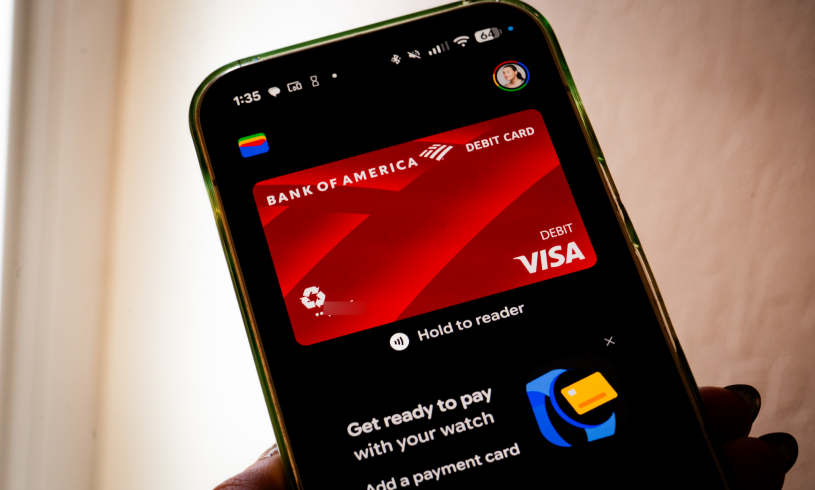
Google Wallet now behaves more like a smart assistant than a storage app.
- Learns your usage patterns
- Highlights relevant cards
- Reduces clutter
This is a major shift from reactive to proactive design.
5. Digital ID & Identity Features
Google is expanding Wallet into a digital identity hub.
Supported Items:
- Driver’s license
- Passport
- Membership cards
Coming Soon:
- Age Verification API
- Secure login via Wallet
This could replace traditional ID usage in many scenarios.
6. Future Support for Digital Keys (Aliro 1.0)
Google Wallet is preparing for the future with Aliro 1.0, a digital key standard.
What It Enables:
- Unlock doors with your phone
- Contactless identity verification
- Smart access systems
Think: your phone becomes your universal key.
From “Junk Drawer” to Smart Wallet
Previously, Google Wallet felt like:
A cluttered list of random cards
Endless scrolling
No prioritization
Now, it’s:
Organized
Searchable
Intelligent
A complete transformation.
Google Wallet vs Apple Pay (2026)
| Feature | Google Wallet | Apple Pay |
|---|---|---|
| Brand recognition | Medium | High |
| Organization | Improved (2026) | Excellent |
| Live tracking | Yes | Yes |
| Digital ID support | Expanding | Limited regions |
| Flexibility | High | Moderate |
Apple still leads in branding—but Google is catching up fast in functionality.
Real-World Experience
Using Google Wallet now feels:
- Faster
- Cleaner
- More intuitive
Even small improvements—like pinning cards—make everyday interactions smoother.
Remaining Challenges
Despite improvements, a few issues remain:
- Not all features are fully rolled out yet
- Branding confusion still lingers
- Some regions have limited feature access
Should You Use Google Wallet Now?
Yes, If You:
- Use Android regularly
- Want a unified payment system
- Prefer digital organization
Maybe Not, If You:
- Need global digital ID support
- Prefer Apple ecosystem integration
The Future of Digital Wallets
Google Wallet’s transformation signals a bigger trend:
Smartphones replacing physical wallets entirely.
Soon, you may store:
- Payment cards
- IDs
- Tickets
- Keys
- Travel data
All in one place.
Frequently Asked Questions (FAQ)
1. Is Google Wallet better than Google Pay?
Yes. Google Wallet is now the primary app for payments and digital storage.
2. Does Google Wallet support real-time updates?
Yes—especially for features like flight tracking.
3. Can I store ID cards in Google Wallet?
Yes, but availability depends on your region.
4. Is Google Wallet safe?
Yes. It uses encryption and secure authentication.
5. Do stores accept Google Wallet?
Most stores that support contactless payments accept it.
Final Verdict
Google Wallet has finally matured into what it should have been all along:
A smart, organized, and powerful digital wallet.
After years of confusion and fragmentation, Google has delivered a product that genuinely competes with Apple Pay.
Final Thoughts
This update isn’t just an improvement—it’s a reset.
Google Wallet is no longer playing catch-up. It’s building the future of digital identity and payments.
And for Android users?
It’s about time.