Most people assume they’re safe when browsing from home.
No suspicious public Wi-Fi.
No sketchy networks.
No visible threats.
But here’s the uncomfortable truth:
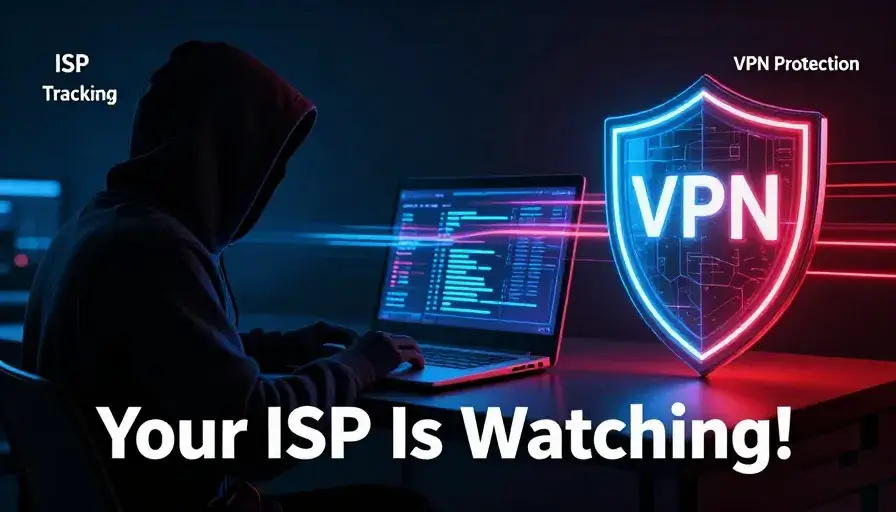
Your biggest privacy risk isn’t hackers—it’s your internet service provider (ISP).
Companies that provide your internet connection have direct access to your online activity, and in many regions, they can legally collect, analyze, and even sell anonymized data to advertisers.
That’s where a Virtual Private Network (VPN) comes in.

What Is an ISP and Why Should You Care?
An ISP is the company that connects your home to the internet.
Examples include:
- Broadband providers
- Fiber internet companies
- Mobile carriers
What Your ISP Can See
Without protection, your ISP can monitor:
- Websites you visit
- Apps you use
- Time spent online
- Your IP address
- Download activity
Even if they don’t see exact content (due to HTTPS), they still know where you go and when.
The Data Monetization Problem
Here’s where things get serious.
Many ISPs:
- Collect browsing metadata
- Aggregate user behavior
- Sell anonymized data to advertisers
This creates a detailed digital profile about you.
Even worse:
- You often can’t opt out easily
- Some regions have limited privacy laws
How a VPN Works (Simple Explanation)
A Virtual Private Network acts like a secure tunnel between your device and the internet.
Without VPN:
Your data flow looks like this:
You → ISP → Website
With VPN:
It becomes:
You → Encrypted Tunnel → VPN Server → Website
Your ISP can only see:
- That you’re connected to a VPN
- Not what you’re doing inside it
Key Benefits of Using a VPN at Home
1. Hide Your Browsing Activity
A VPN encrypts your traffic, preventing your ISP from tracking:
- Websites visited
- Online behavior
- Search activity
2. Protect Your Personal Data
Encryption protects sensitive data like:
- Passwords
- Banking details
- Emails
3. Prevent Data Profiling
Advertisers rely on data to target you.
A VPN:
- Disrupts tracking
- Makes profiling less accurate
4. Bypass Geo-Restrictions
By changing your virtual location, you can:
- Access region-locked content
- Explore different catalogs
Example:
Streaming platforms offer different content depending on your region.
5. Safer Torrenting
In regions with strict monitoring, ISPs may flag:
- Peer-to-peer (P2P) traffic
- Large downloads
A VPN hides your activity and reduces risk.
Always follow local laws.
Limitations of VPNs (What They DON’T Do)
Let’s be realistic—VPNs aren’t magic.
They Don’t Stop Everything
A VPN cannot:
- Block malware
- Recover hacked accounts
- Eliminate existing tracking profiles
Advanced Tracking Still Exists
Advertisers use techniques like:
- Browser Fingerprinting
- Cookies
- Device identification
A VPN helps—but doesn’t fully eliminate tracking.
How to Maximize VPN Protection
To truly protect yourself, combine tools:
Use a Privacy Browser
- Blocks trackers
- Limits fingerprinting
Install Tracker Blockers
- Stops ad tracking scripts
Enable MFA (Multi-Factor Authentication)
- Protects accounts from breaches
VPN for Streaming: Worth It?
Yes—but with caveats.
Benefits:
- Access international content
- Watch region-locked shows
Challenges:
- Streaming platforms block VPNs
- Some servers won’t work
Tip:
Use VPNs with multiple servers in your desired region.
Choosing the Right VPN
Not all VPNs are equal.
Top VPN Options
- Proton VPN
- NordVPN
- ExpressVPN
- TunnelBear
What to Look For
- No-logs policy
- Fast speeds
- Multiple servers
- Strong encryption
- Multi-device support
Whole-House VPN Setup
Want protection for every device?
Option 1: Multiple Connections
Use VPN apps on:
- Phone
- Laptop
- Tablet
Option 2: Router-Level VPN
Install VPN directly on your router.
Pros:
- Covers all devices
Cons: - Requires technical setup
What Is Split Tunneling?
Split tunneling lets you choose which apps use VPN.
Example:
- VPN ON → Browser
- VPN OFF → Gaming
Useful for:
- Streaming
- Smart devices
- Gaming performance
Does VPN Slow Down Internet?
Sometimes—but not always.
Factors:
- Server distance
- Encryption strength
- VPN quality
Premium VPNs minimize speed loss.
Real-World Scenario
Without VPN:
- ISP tracks browsing
- Ads follow you everywhere
With VPN:
- Activity hidden
- Tracking reduced
- Privacy improved
The Future of Online Privacy
Privacy is becoming harder to maintain.
Trends:
- Increased data collection
- Smarter tracking
- AI-driven profiling
VPNs are becoming essential tools.
Frequently Asked Questions (FAQ)
1. Can my ISP still see me if I use a VPN?
They can see you’re using a VPN, but not your activity.
2. Is a VPN legal?
Yes, in most countries—but always check local laws.
3. Do I need a VPN at home?
Yes—your ISP is your biggest observer.
4. Can a VPN stop hackers?
It helps—but doesn’t replace antivirus software.
5. Are free VPNs safe?
Some are—but many have limitations or risks.
6. Does a VPN hide my identity completely?
No. It improves privacy but doesn’t make you invisible.
Final Verdict
A Virtual Private Network is no longer optional—it’s a core privacy tool in 2026.
It won’t solve everything, but it will:
Protect your browsing activity
Reduce tracking
Secure your data
Give you more control
Final Thoughts
Your ISP knows more about you than you think.
Using a VPN is one of the simplest and most effective ways to take back control of your digital privacy.
Turn it on. Keep it on. Stay protected.