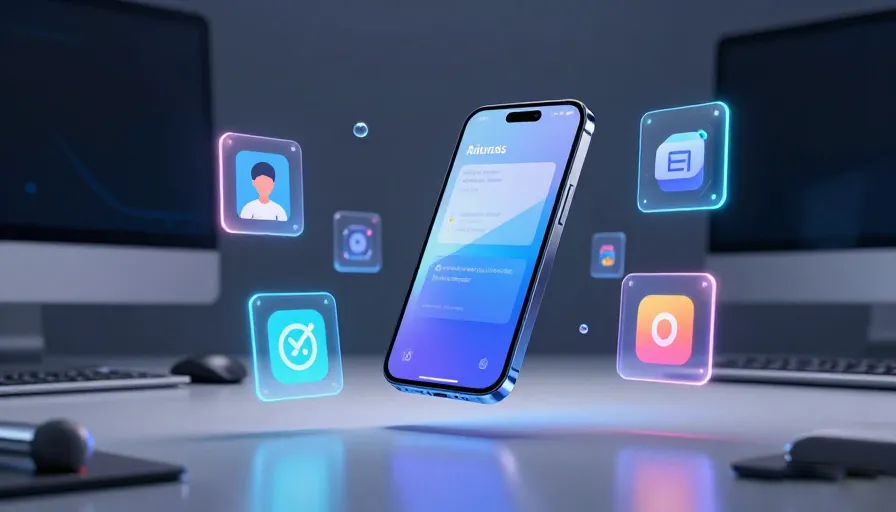
If you feel like your smartphone has become more of a distraction than a tool lately, you aren’t alone. By mid-2026, the app market has shifted. We’ve moved past the era of “there’s an app for that” and into the era of “there’s an AI for that.” But with millions of options in the Play Store, the real challenge isn’t finding an app—it’s finding the right one that actually adds value to your day.
After testing the latest builds and monitoring the biggest shifts in mobile tech this year, I’ve narrowed down the absolute essentials. Whether you’re a digital creator, a remote professional, or someone just trying to reclaim their focus, these are the apps defining the Android experience in 2026.
The Productivity Powerhouse: Notion & Todoist
While they’ve been around for years, 2026 is the year Notion and Todoist became inseparable from the professional workflow.
-
Notion: It’s no longer just a note-taking app; it’s a personalized operating system. With the 2026 update, its AI can now summarize your entire database of notes into a morning briefing.
-
Todoist: Still the king of task management. Its natural language processing is so fluid now that you can shout, “Hey, remind me to check the Teu Sakedik Rasa project files next Tuesday,” and it intelligently categorizes the task under your creative projects.
The AI Companion: Google Gemini & ChatGPT
In 2026, the “search engine” is evolving. Google Gemini has become the backbone of the Android OS, offering deep integration with your calendar, emails, and even your photo gallery. Need to find a receipt from three months ago? Just ask.
For those who prefer creative brainstorming, ChatGPT remains the gold standard. Its “Voice Mode” is now so realistic that using it for language learning or mock interviews feels like talking to a human mentor rather than a bot.
Creative Edge: CapCut & Canva
The barrier to professional-grade content has officially vanished.
-
CapCut: If you’re producing 9:16 vertical videos for TikTok or Reels, CapCut’s 2026 AI templates do 80% of the heavy lifting. The “Auto-Reframe” feature is a lifesaver for turning horizontal footage into viral-ready vertical clips.
-
Canva: From DJ thumbnails to full-scale presentations, Canva’s “Magic Media” tools allow you to generate high-quality assets from simple text prompts. It’s the essential “cheat code” for non-designers.
Privacy & Utility: Bitwarden & Brave
As our lives become more digital, security isn’t optional.
-
Bitwarden: It remains the most trusted open-source password manager. In 2026, its “Passkey” support is seamless, making traditional passwords feel like a relic of the past.
-
Brave Browser: If you’re tired of being tracked across the web, Brave is the answer. It’s faster than Chrome and saves you significant data by blocking intrusive ads and trackers at the source.
The “Quiet” Essentials: Standard Notes & Blip
Sometimes, the best apps are the ones that stay out of your way.
-
Standard Notes: For those who value total privacy, this end-to-end encrypted app is where you keep your most personal thoughts. No AI scanning, no data harvesting—just your words.
-
Blip: Sharing large video files or high-res audio between your phone and PC used to be a headache. Blip solves this with lightning-fast, direct device-to-device transfers without cloud compression.
Why “Human-First” Content Wins the SERP in 2026
You might wonder why this article looks different from the “Top 10” lists of five years ago. Search engines like Google have updated their algorithms to prioritize Experience. They want to know: Has a human actually used these tools?
Final Thoughts
Your Android phone in 2026 is more powerful than the computers that sent humans to the moon. But power is nothing without control. By choosing a lean, high-utility app drawer, you turn your device from a source of “scroll-fatigue” into a legitimate engine for creativity and organization.
Which of these apps is staying on your home screen this year? Let’s discuss in the comments below.
FAQ – Best Android Apps in 2026
1. What are the best Android apps in 2026?
Some of the most popular and useful Android apps in 2026 include:
- Notion
- Todoist
- Google Gemini
- ChatGPT
- CapCut
- Canva
2. Why are AI apps dominating Android in 2026?
AI-powered apps now automate productivity, creativity, search, scheduling, writing, and communication tasks more efficiently than traditional apps.
3. What is Notion used for?
Notion is used for note-taking, project management, databases, content planning, and team collaboration.
4. What makes Todoist popular?
Todoist offers fast task organization, natural language scheduling, reminders, and productivity tracking.
5. What is Google Gemini?
Google Gemini is an AI-powered assistant deeply integrated into Android for search, productivity, and smart device management.
6. Why do people still use ChatGPT on Android?
ChatGPT remains popular for brainstorming, writing, coding help, studying, voice conversations, and creative assistance.
7. What is Voice Mode in ChatGPT?
Voice Mode allows users to have natural spoken conversations with AI in real time.
8. Which app is best for editing short videos?
CapCut is one of the top choices for editing TikTok, Reels, and Shorts content.
9. What does CapCut’s Auto-Reframe feature do?
It automatically converts horizontal footage into vertical social-media-friendly formats.
10. Is Canva good for beginners?
Yes. Canva is widely used because it simplifies graphic design with templates and AI-powered tools.
Productivity & Workflow FAQ
11. What are the best productivity apps for Android?
Popular productivity apps include:
- Notion
- Todoist
- Google Gemini
12. Can AI apps replace traditional search engines?
AI assistants are increasingly replacing standard search for tasks like summarizing information, organizing files, and answering complex questions.
13. What is natural language task management?
It allows users to type or speak reminders naturally, such as “Remind me next Tuesday,” without manually setting dates.
14. Are AI productivity tools safe to use?
Most major apps offer security protections, but users should still review privacy settings and permissions carefully.
15. Which Android apps are best for creators?
Top creator-focused apps include:
- CapCut
- Canva
- ChatGPT
Privacy & Security FAQ
16. What is Bitwarden?
Bitwarden is an open-source password manager that securely stores passwords and passkeys.
17. What are passkeys?
Passkeys are a modern password replacement system using secure cryptographic authentication.
18. Why do people use Brave Browser?
Brave Browser blocks ads and trackers automatically while improving privacy and browsing speed.
19. Is Brave faster than Chrome?
Many users find Brave faster because it blocks heavy ads and trackers before pages load.
20. What is Standard Notes?
Standard Notes is a privacy-focused encrypted note-taking application.
21. Why is encryption important in note apps?
Encryption helps protect personal notes and sensitive information from unauthorized access.
Utility & File Transfer FAQ
22. What is Blip?
Blip is a fast file-sharing app for transferring files directly between devices.
23. Why are direct device-to-device transfers useful?
They avoid cloud compression and often provide faster, higher-quality transfers.
24. Are Android apps replacing desktop software?
Many Android apps now offer professional-level tools that rival traditional desktop applications.
25. How can I reduce smartphone distraction?
Helpful strategies include:
- Keeping fewer apps installed
- Using productivity-focused tools
- Disabling unnecessary notifications
- Prioritizing utility over entertainment
26. What are “human-first” apps?
Human-first apps focus on usability, productivity, privacy, and real-world value rather than endless engagement.
27. Which apps are best for remote workers?
Excellent choices include:
- Notion
- Todoist
- Google Gemini
28. Are AI creative tools replacing designers?
AI tools speed up workflows, but human creativity and editing still play a major role in quality content creation.
29. Why are minimalist app setups popular in 2026?
Users increasingly want less distraction, better focus, improved digital wellness, and cleaner workflows.
30. What is the most important Android trend in 2026?
The biggest shift is the integration of AI into daily productivity, creativity, communication, and personal organization.