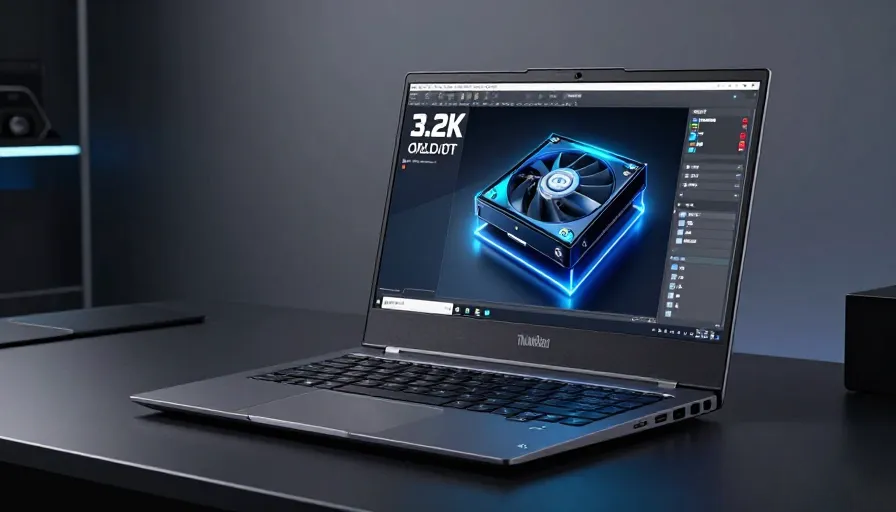
In the world of mobile workstations, there is often a tug-of-war between “desktop-replacement power” and “carry-it-to-the-meeting portability.” With the ThinkPad P16 Gen 3, Lenovo has chosen a clear side. While it houses some of the most aggressive components available in 2026—including Intel’s Arrow Lake chips and Nvidia’s Blackwell graphics—it prioritizes a slightly thinner chassis and extreme battery life over the “unlocked” performance found in its bulkier rivals.
The Verdict: 3.5/5 (Good)
The Bottom Line: A sophisticated, robust workstation that offers the best keyboard and display in its class. It is the ideal choice for creators who travel, though power-hungry engineers may prefer the raw grunt of a Dell Pro Max.
Design & Build: Rugged Reliability
Lenovo has maintained the iconic, squared-off ThinkPad aesthetic, but don’t let the classic looks fool you.
-
Thinness vs. Power: At 0.82 inches thick, the P16 Gen 3 is noticeably slimmer than 16-inch competitors from Dell and HP.
-
Durability: It passes MIL-STD-810H testing, featuring a rigid metal lid and a chassis coated in a durable soft-touch finish that feels “vault-like.”
-
Connectivity: It is a port powerhouse, featuring two Thunderbolt 5 ports, one Thunderbolt 4, HDMI 2.1, 2.5Gbps Ethernet, and an SD card reader.
The “Crown Jewel” Display and Keyboard
If you spend 10 hours a day staring at a screen and typing, this is where the P16 Gen 3 justifies its $3,101+ price tag.
-
Tandem OLED Panel: The optional 3,200-by-2,000-pixel touch panel is a revelation. It reached a staggering 620 nits in testing, with inky blacks and full DCI-P3 color coverage.
-
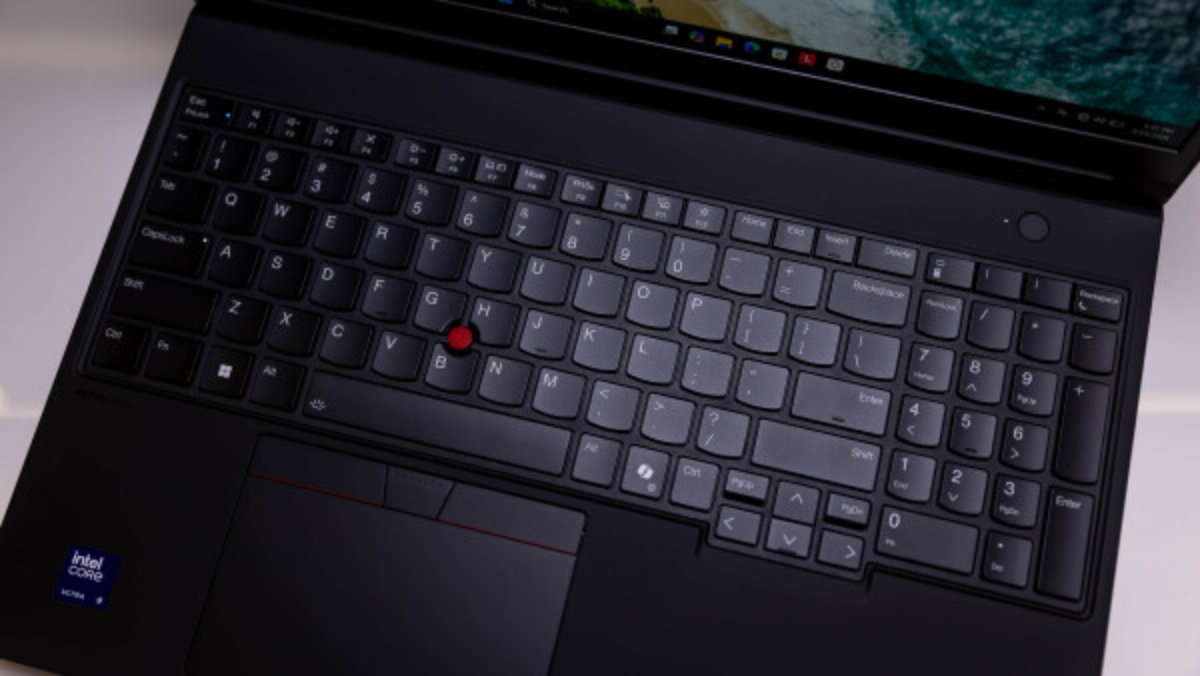
Typing Experience: Lenovo remains the gold standard. The keyboard features deep travel, a full number pad, and the classic TrackPoint nub.
Performance: Efficiency Over Extremes
The P16 Gen 3 is undeniably fast, but Lenovo has “capped” the power to keep the laptop thin and cool.
-
The Hardware: Our test unit featured the Intel Core Ultra 9 275HX and Nvidia RTX Pro 5000 (Blackwell).
-
The Comparison: In GPU tests, the Dell Pro Max 16 Plus outperformed the P16 by nearly 20%. Why? Lenovo caps the GPU at 110W, while Dell pushes it to 175W.
-
The Trade-off: While the P16 is slightly slower in heavy 3D rendering (Blender/SPECviewperf), it stays manageable. However, be warned: the fans are noisy under load.
Battery Life: The Great Surpise
Usually, workstations die within 4–5 hours. The P16 Gen 3 shatters that expectation.
-
The Result: Powered by a massive 99Whr battery, it lasted nearly 16 hours in our video playback test.
-
The Win: This is nearly four times the battery life of its closest Dell rival, making it the only true “all-day” mobile workstation in this power class.
Specs at a Glance
| Feature | Specification (As Tested) |
| Processor | Intel Core Ultra 9 275HX (24-Core) |
| Graphics | Nvidia RTX Pro 5000 (24GB GDDR7) |
| Memory | 32GB (Up to 192GB supported) |
| Storage | 1TB PCIe 5.0 SSD (3 total slots) |
| Display | 16-inch Tandem OLED (3.2K, 120Hz) |
| Weight | Starts at 5.6 lbs |
Is it Right for You?
-
Buy it if: You are a content creator, data scientist, or architect who needs a reliable, ISV-certified machine that can survive a cross-country flight without a charger.
-
Skip it if: You are doing 24/7 heavy 3D rendering or AI training where every second counts. In that case, the bulkier, higher-wattage Dell Pro Max 18 Plus is your better bet.
FAQ
1. Is the Lenovo ThinkPad P16 Gen 3 good for 3D rendering?
Yes, the Lenovo ThinkPad P16 Gen 3 performs very well for professional 3D rendering, CAD, and content creation workflows. However, laptops with higher GPU wattage may render slightly faster in extreme workloads.
2. Does the ThinkPad P16 Gen 3 have good battery life?
Yes. One of its biggest advantages is exceptional battery endurance for a workstation laptop, reaching up to 16 hours in video playback tests.
3. Is the ThinkPad P16 Gen 3 suitable for video editing?
Absolutely. Its Tandem OLED display, RTX Pro graphics, and powerful Intel Core Ultra processors make it excellent for video editing, color grading, and creative work.
4. What graphics card does the ThinkPad P16 Gen 3 use?
Configurations include professional GPUs such as the NVIDIA RTX Pro 5000 Blackwell with dedicated GDDR7 memory.
5. Is the ThinkPad P16 Gen 3 good for engineering students?
Yes. It is ideal for engineering, architecture, data science, and CAD applications thanks to ISV-certified hardware and durable build quality.
6. Does the ThinkPad P16 Gen 3 support Thunderbolt 5?
Yes, the laptop includes Thunderbolt 5 connectivity for ultra-fast data transfer and advanced docking support.
7. Is the ThinkPad P16 Gen 3 better than the Dell Pro Max 16 Plus?
It depends on your needs. The ThinkPad offers better portability, battery life, and keyboard quality, while the Dell focuses more on maximum GPU performance.